

AutoOnboarding
Riverty Auto Onboarding allows you to activate the Riverty payment method directly from Payment Plaza without requiring manual intervention from Buckaroo or Riverty.
Before you begin
To use Riverty Auto Onboarding, you must have access to Payment Plaza.
Navigate to Services → Riverty Configuration.
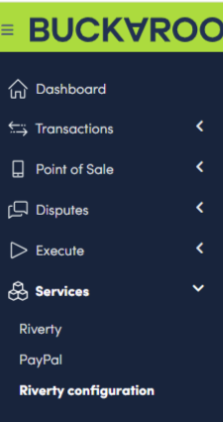
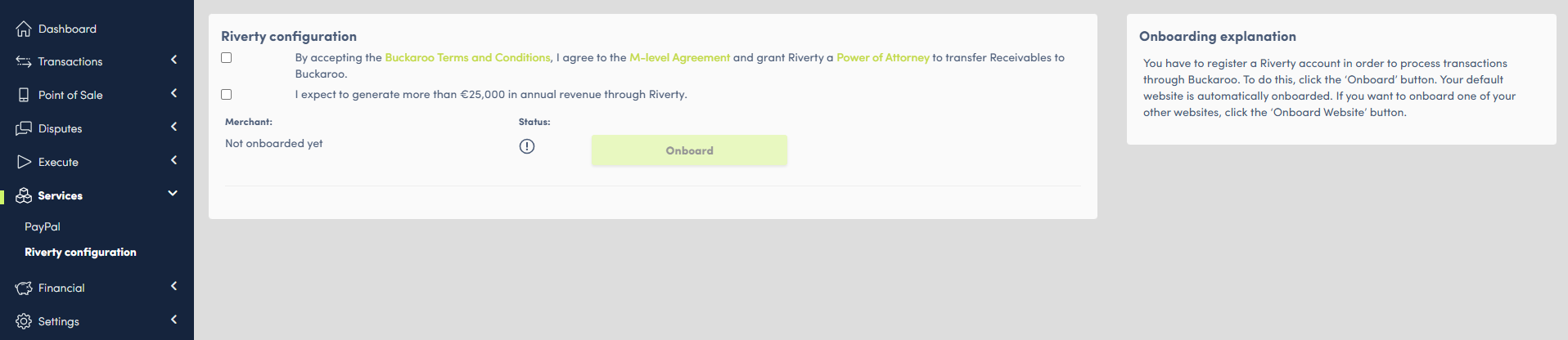
Start the onboarding process
On the Riverty Configuration page, review and accept the required Terms & Conditions.
You must also indicate whether you expect to generate more than €25,000 in annual revenue through Riverty.
Once completed, click Onboard.
Select countries for your default store
After clicking Onboard, a window will appear where you can select the countries that should be enabled for your default store.
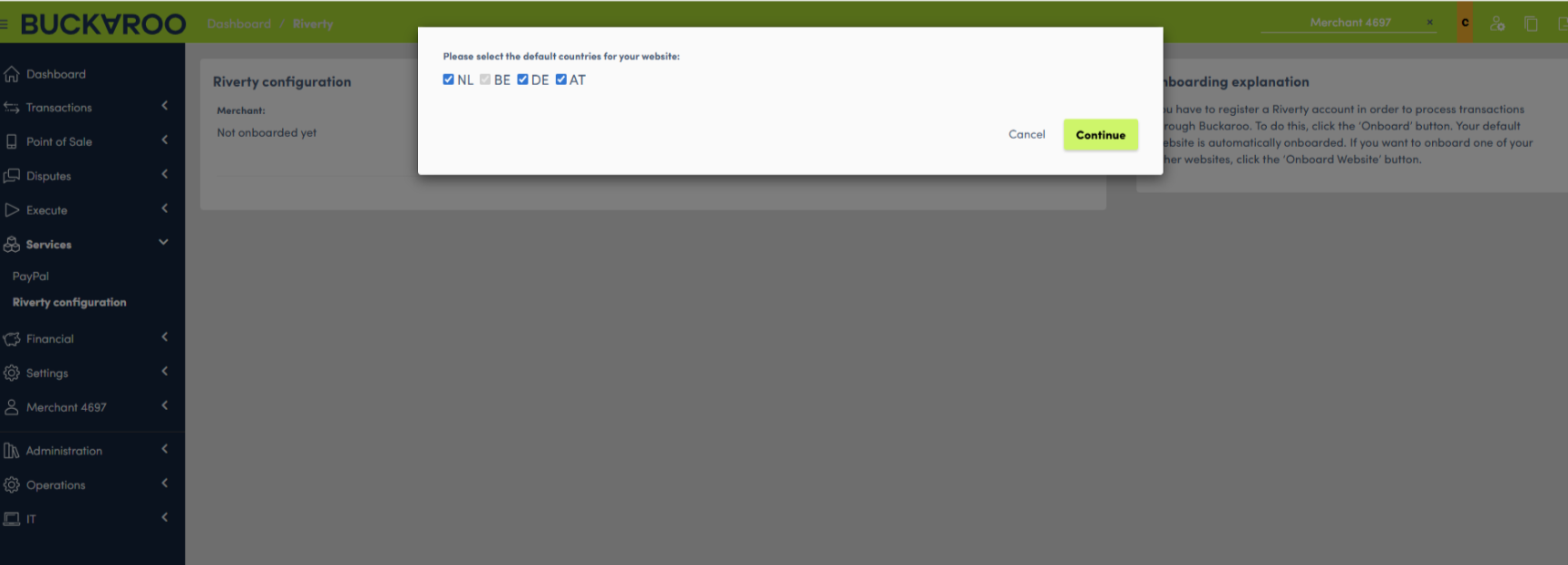
After confirming your selection, Buckaroo will submit the onboarding request to Riverty.
Track onboarding progress
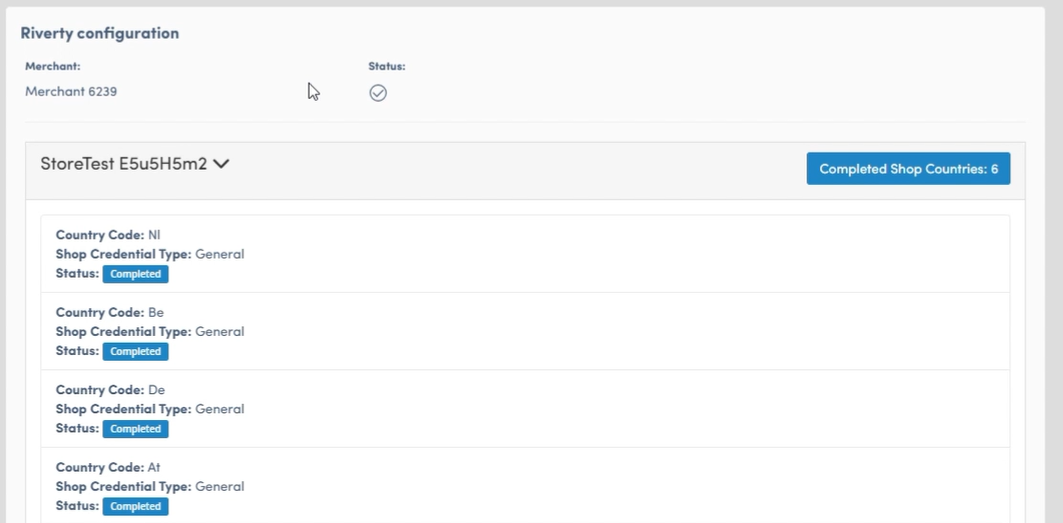
After the onboarding request has been submitted, you can monitor the status of each selected country.
When a country is shown with the status Initiated, the onboarding request has been submitted and is currently being processed.
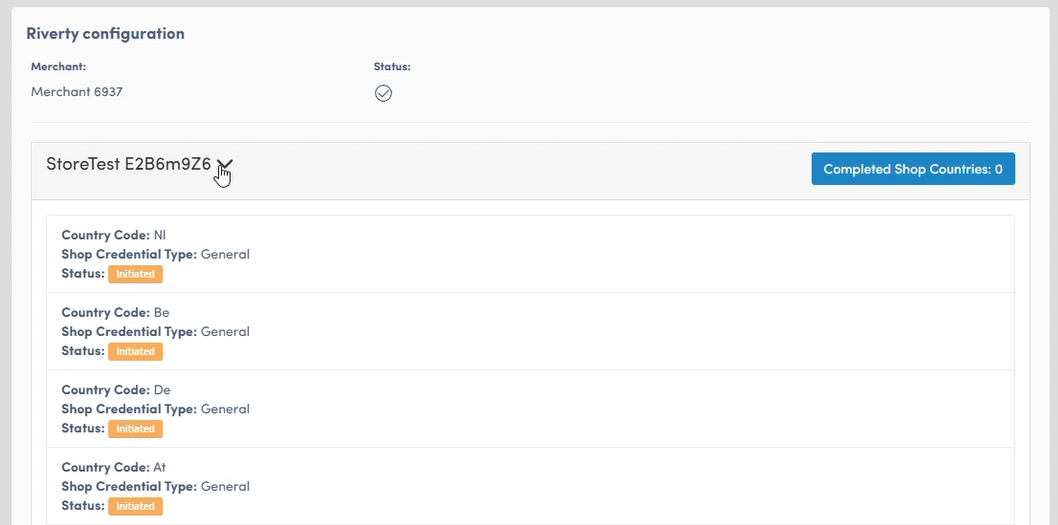
Onboarding completed
Once Riverty has completed the onboarding process and the required credentials have been received, the status changes to Completed.
Onboard additional websites
The initial onboarding only applies to your default website.
If you want to onboard additional websites, navigate to the relevant website and click Onboard Website.
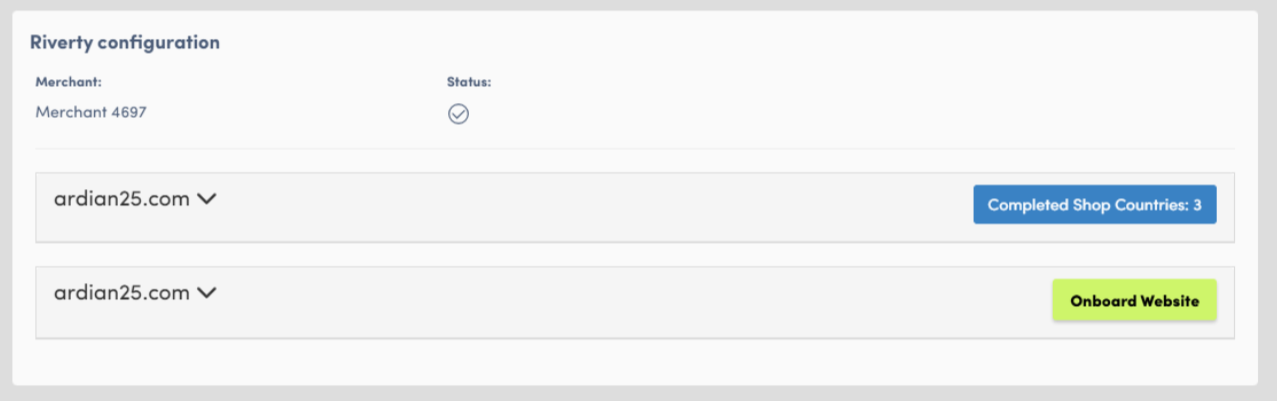
You can then select the countries that should be enabled for that website. The onboarding process and status tracking work in the same way as for the default website.
Updated 2 months ago