

Payment methods
The Buckaroo plugin for Odoo 19 enables a wide variety of payment methods for your webshop.
Each method can be individually enabled or disabled, and can be configured for live or test mode.
Important: You will see all payment methods that the Buckaroo plugin supports. However, you must have an active Buckaroo subscription for a payment method in order to use it in your checkout.
Available payment methods
The app supports a broad selection of payment methods. Below you’ll find a list of the supported payment methods:
- Alipay
- Apple Pay
- Bank Transfer
- Bancontact
- Belfius
- Bizum
- Billink
- Blik
- Credit and debit cards
- EPS
- Giftcards
- Google Pay™
- iDEAL | Wero
- In3
- KBC
- Klarna
- MBWay
- Multibanco
- Przelewy24
- PayPal
- Riverty
- Swish
- Trustly
- Twint
- WeChatPay
- Wero
Enable payment methods
Follow the steps below to enable or disable payment methods in the Buckaroo plugin for Odoo 19.
- Log in to your Odoo (eCommerce) website environment.
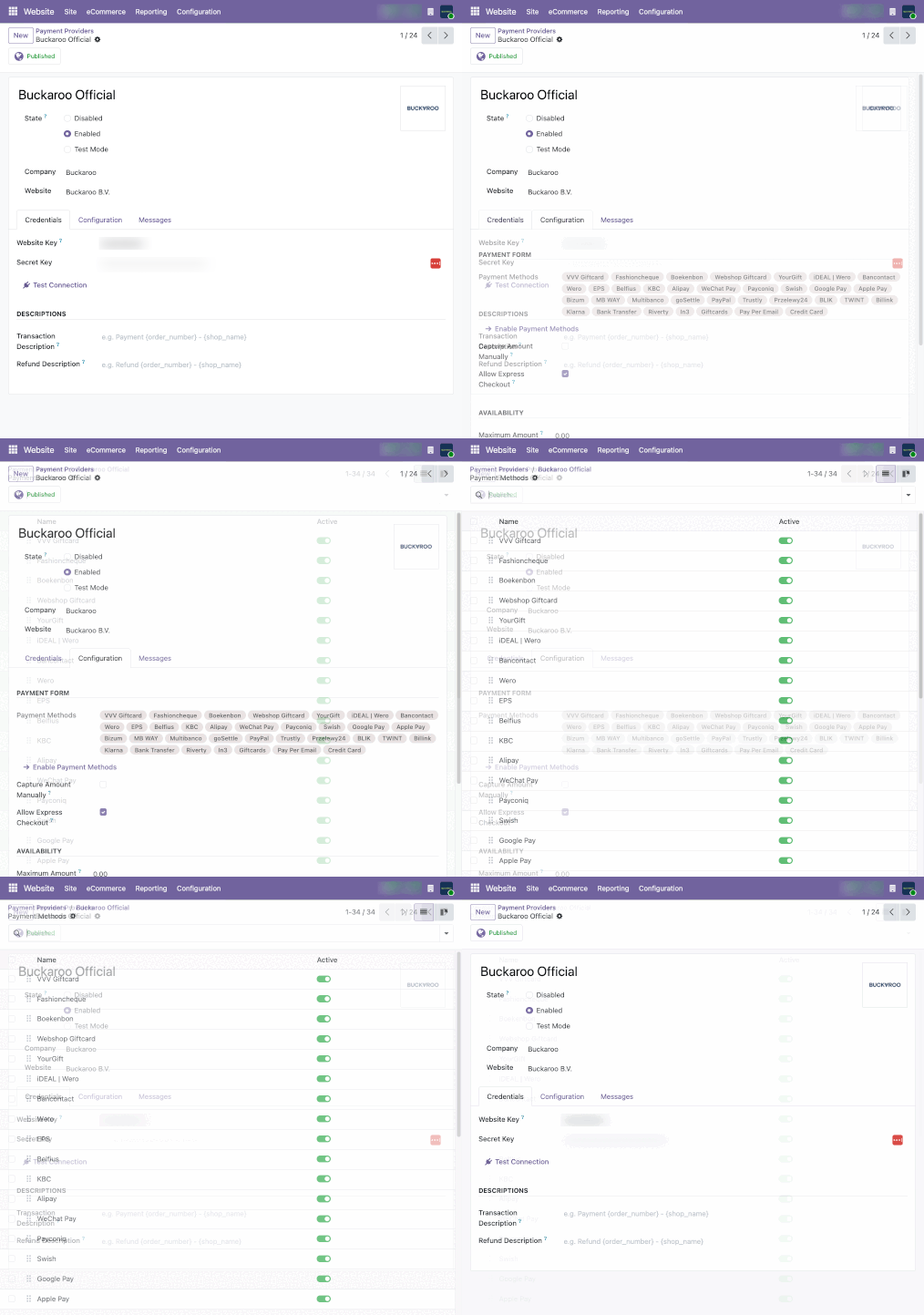
- Navigate to Configuration → (eCommerce) Payment Providers from the top menu.
- Select Buckaroo Official from the list of payment providers to open the configuration settings.
- You will be redirected to the main configuration page. At the top of the page, you can select the desired plugin status:
- Disabled
- Enabled
- Test Mode
- Make sure that your Store Key and Secret Key are entered correctly before configuring the rest of the plugin. You can find these two credentials by logging in to your Buckaroo environment via the Buckaroo Plaza API Keys page.
- Once the credentials have been entered and validated, go to the Configuration tab and select Enable Payment Methods.
- On the Enable Payment Methods page, use the toggle switches to enable or disable the available payment methods.
*Please note: That some payment methods require additional configuration.
To view and configure the specific settings for a payment method, click on the payment method name. This will open the available options for that method.
Updated 10 days ago
Did this page help you?