

Billing
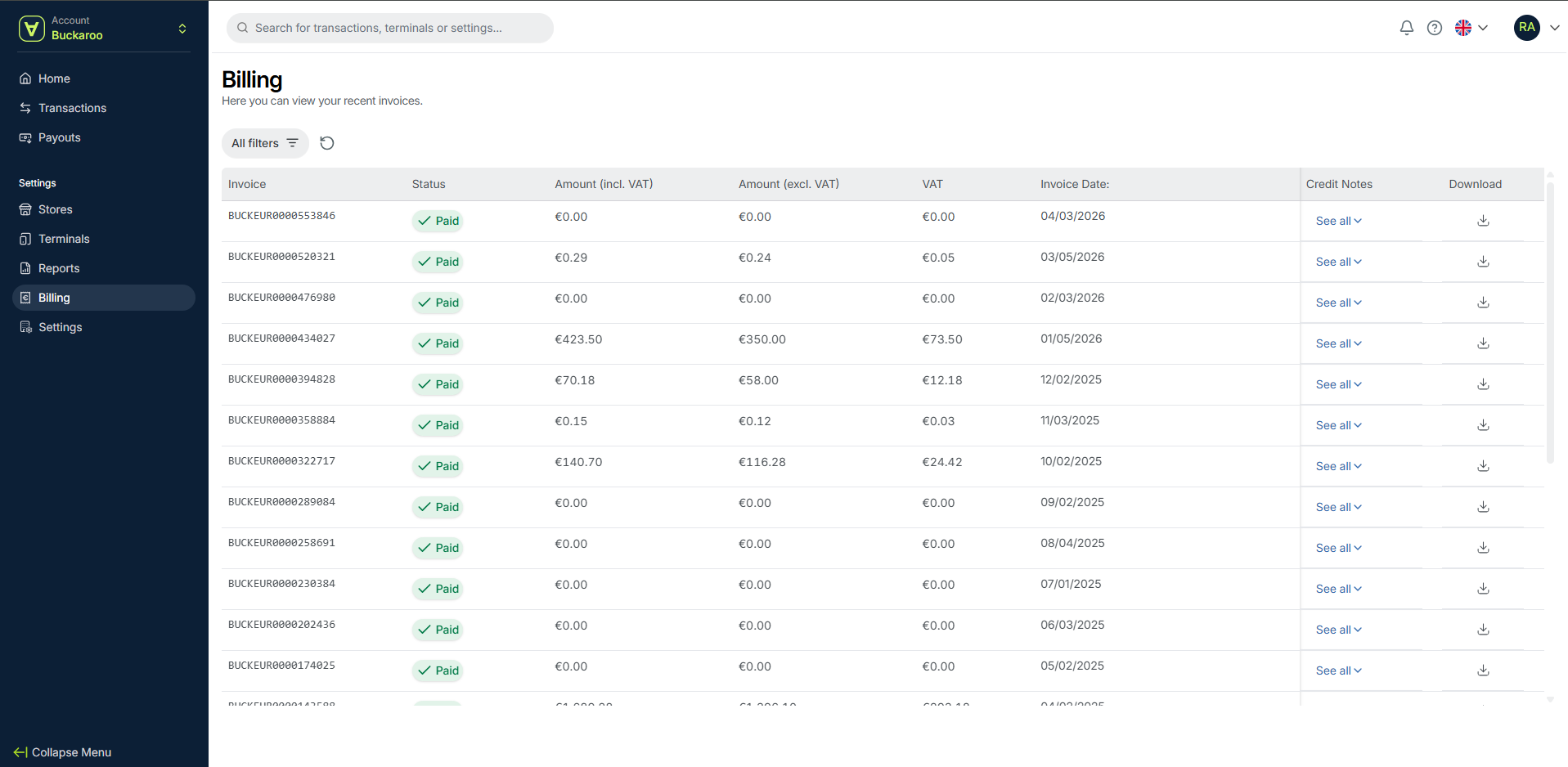
On this page, you’ll see an overview of your recent invoices. Each invoice includes details such as status, amounts (including and excluding VAT), VAT, invoice date, and any related credit notes.
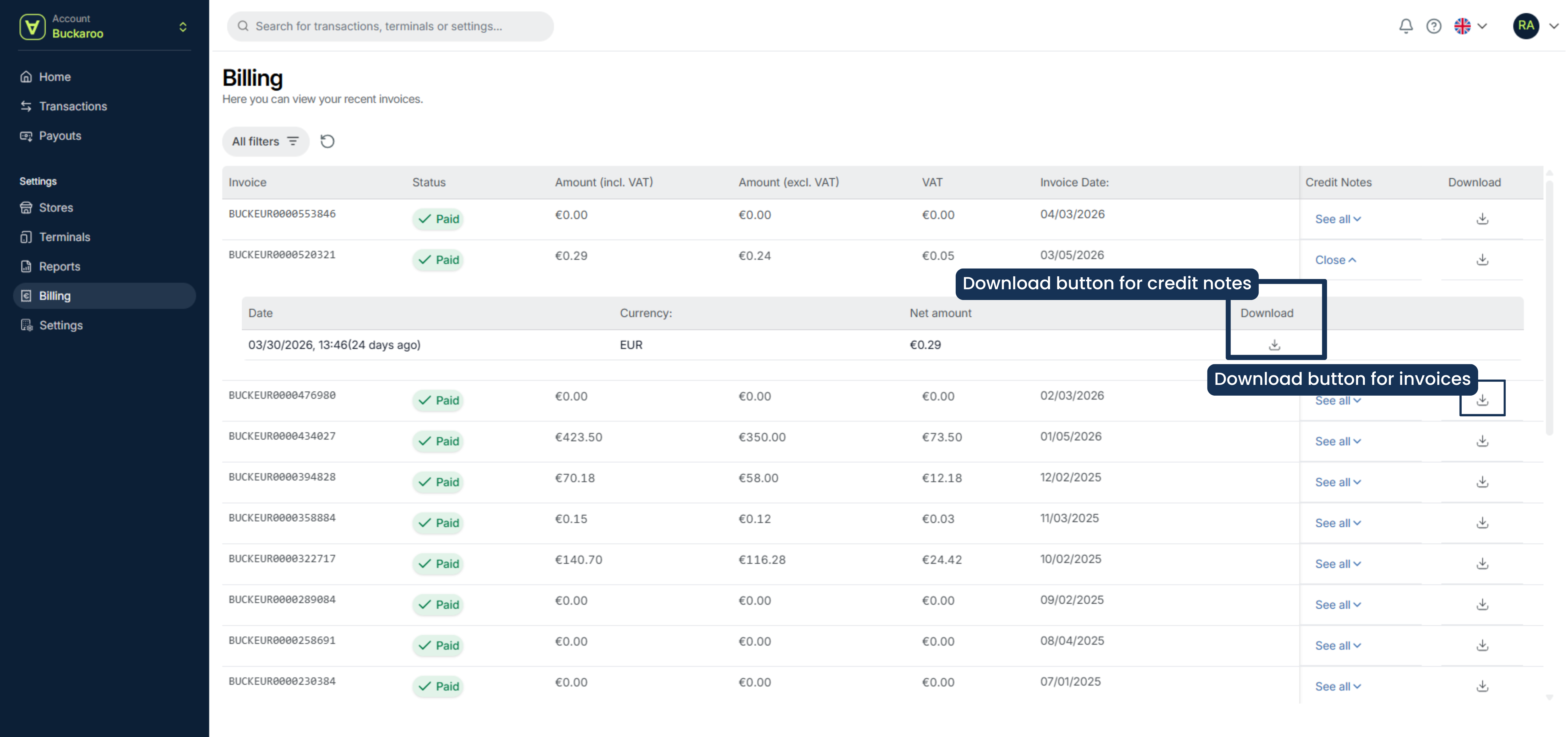
To download an invoice, click the download button on the right side of the invoice line.
Invoice overview
All invoices are listed on the Billing page. For each invoice, you can view:
- Invoice number
- Status
- Amount (incl. VAT)
- Amount (excl. VAT)
- VAT
- Invoice date
- Credit Notes
Any credit notes related to an invoice are grouped under the corresponding invoice. Click See all to expand and view all credit notes.
Download invoices and credit notes
You can download both invoices and their related credit notes directly from the list.
- Locate the invoice
- Click the download button to download the invoice
To download a credit note:
- Click See all under the invoice
- Locate the credit note
- Click the download button next to it
Set filters
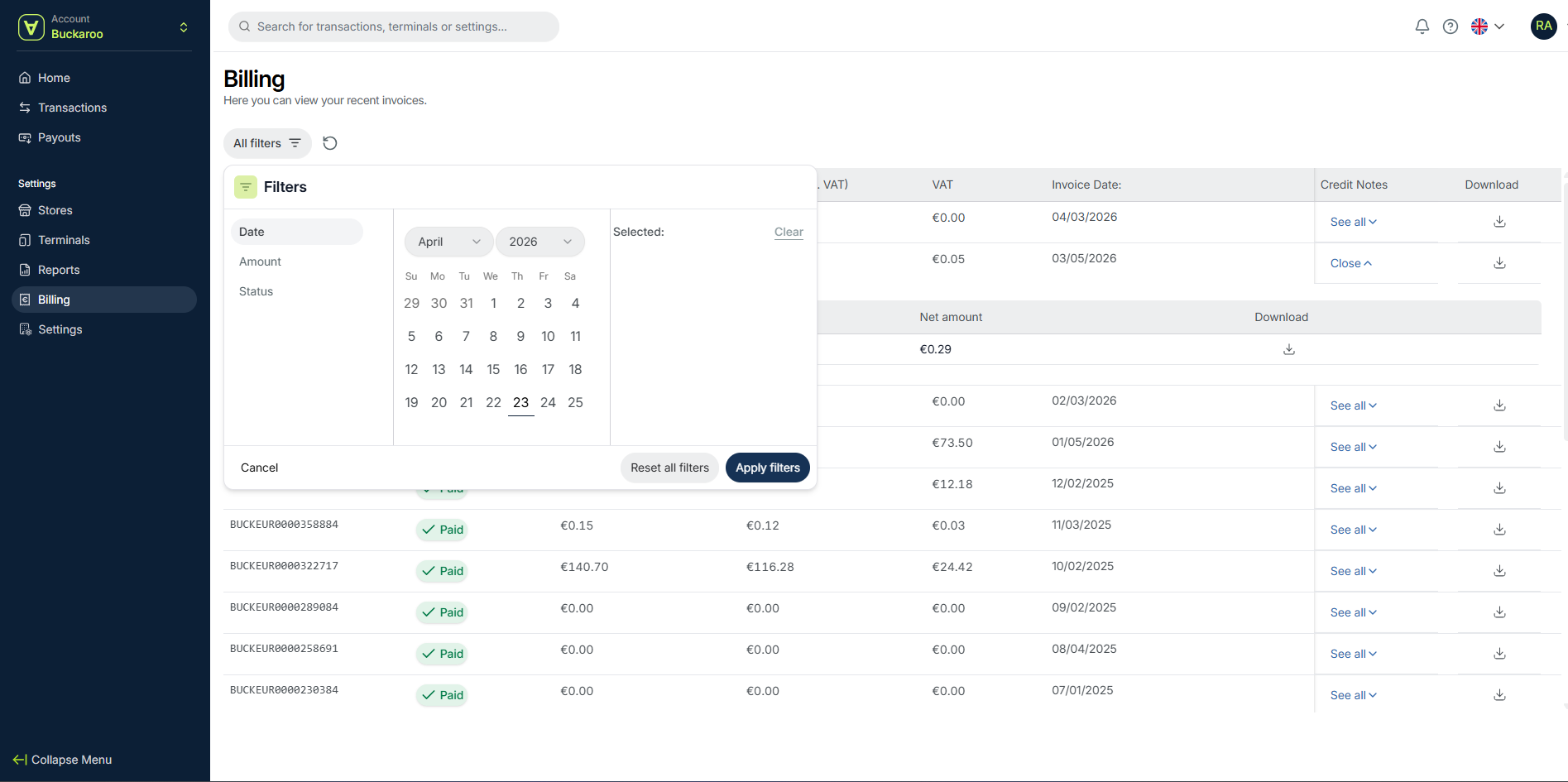
You can use filters to find specific invoices.
- Click Filters
- Select one or more of the following:
- Date
- Amount
- Status
- Apply the filters to update the invoice list
General information
Invoices are sent monthly to the email address provided by the merchant.
VAT is applied to all invoices, including basic fees, transaction fees, and subscription costs.
Your full revenue is transferred daily without deductions. Transaction fees are invoiced separately on a monthly basis.
Navigation
You can access the Billing section from the left-side menu in the my.buckaroo.io portal, alongside sections such as Transactions, Payouts, Stores, Terminals, Reports, and Settings.
Updated 6 months ago