

Change terminal settings
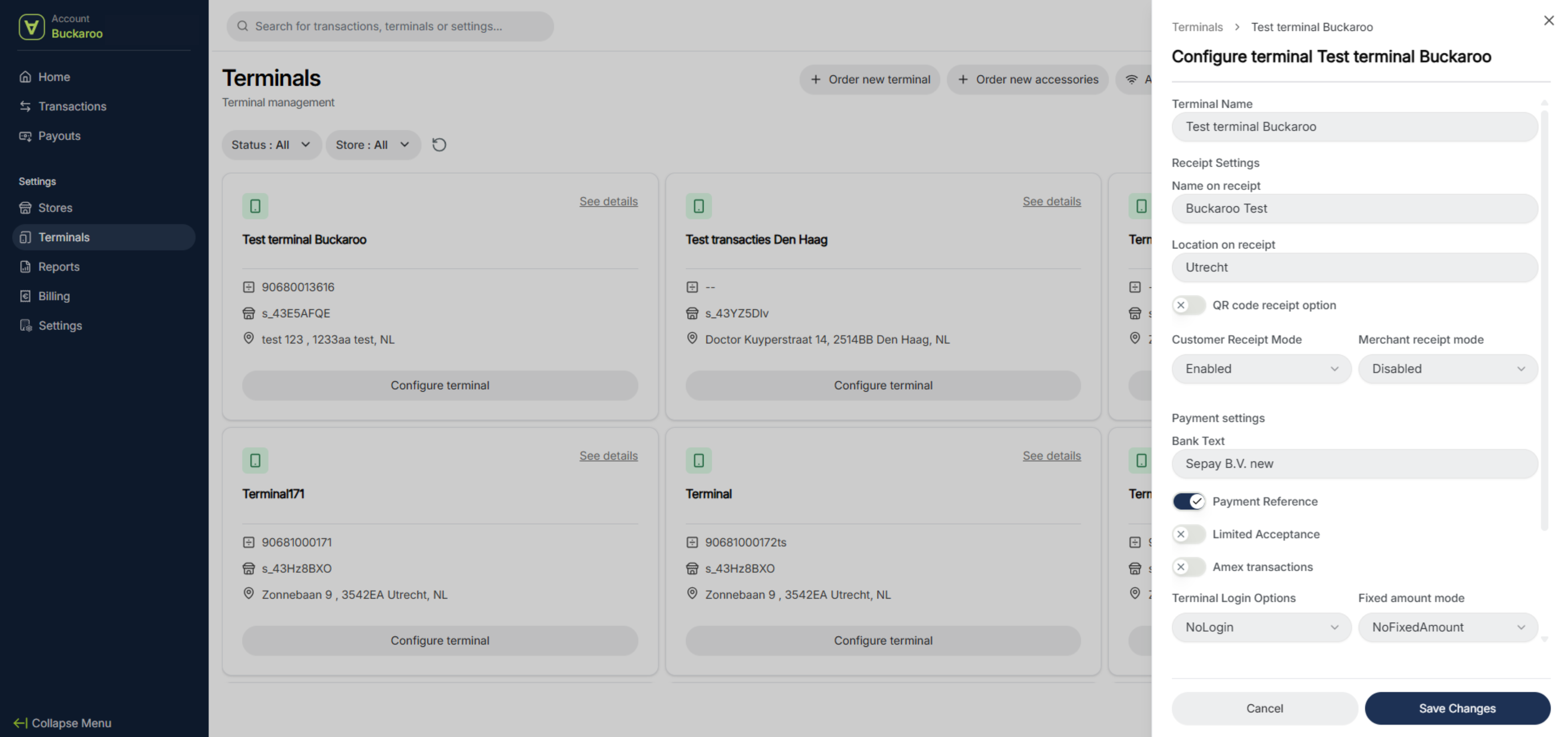
To update your terminal details, click “Configure terminal.” Here, you can change the name of your terminal, the name shown on the receipt, and the location displayed on the receipt. You can also disable the second receipt.
How to disable the second PIN receipt
By default, your payment terminal prints two receipts: one for you and one for the customer. You can adjust this so that only one receipt is printed. It’s not possible to disable receipts entirely, as they serve as proof that the transaction has been completed.
Add an access code and charge a fixed amount
Under Login options, you can add an access password. You’ll also find the option to set a fixed amount if you frequently process the same payment value.
WECR settings
Finally, this section includes options to connect your POS system to your payment terminal using the WECR feature. Please note that not all POS systems can be integrated with Buckaroo terminals.
Updated 6 months ago