

Jump to Content
Knowledge Base
GuidesAPI Reference
StatusPlazaCreate AccountKnowledge Base
Guides
StatusPlazaCreate Account
GuidesAPI Reference

Getting Started

  • Home

Users

  • 📊My Buckaroo
    • 📈Dashboard overview
    • 🔎View transactions
    • 💰Payout settings
    • ✏️Edit stores
    • 💳Terminals
      • Change terminal settings
      • Order a new terminal
      • Activate Tap to Pay
      • Use existing terminal(s)
      • Rent terminal(s)
    • 📄Reports
    • 💶Billing
    • ⚙️Settings
  • 📖Manuals payment terminals (English)
    • Buck Fixed (Duo)
    • Buck Mini 4G
    • Buck Mobile
    • Buck Smart
    • Buck Smart Plus
    • Buck Smart Fixed
    • Error codes on your payment terminal
  • 🇳🇱Handleidingen pinautomaten (Dutch manuals)
    • Handleidingen betaalterminals Nederlands
    • Overzicht instructievideo's
    • Buck Fixed T6 (Duo)
    • Buck Smart Fixed
    • Buck Mini 4G K300
    • Buck Mobile G5
    • Buck Smart N6
    • Buck Smart Plus N86

Developers

  • Quick start
  • Core Concepts
    • Sale
      • Sale Lifetime
    • Transaction
      • Transaction Error Codes
    • Customer
    • Merchant
    • Store
    • Terminal
    • Account
    • Webhook
    • Application
      • Event Subscription
    • Scope
    • Installation
    • Metadata
    • Payout
  • Authentication
    • API Keys
    • Client Credentials
    • Refresh Token
    • Scopes
  • Pagination
  • Metadata
  • Error handling
  • Webhooks

Payment Methods

  • Point of Sale (POS)
    • ECR Payments Guide
  • Wero
    • Invoice QR
    • Static QR
  1. Users
  2. My Buckaroo

Dashboard overview

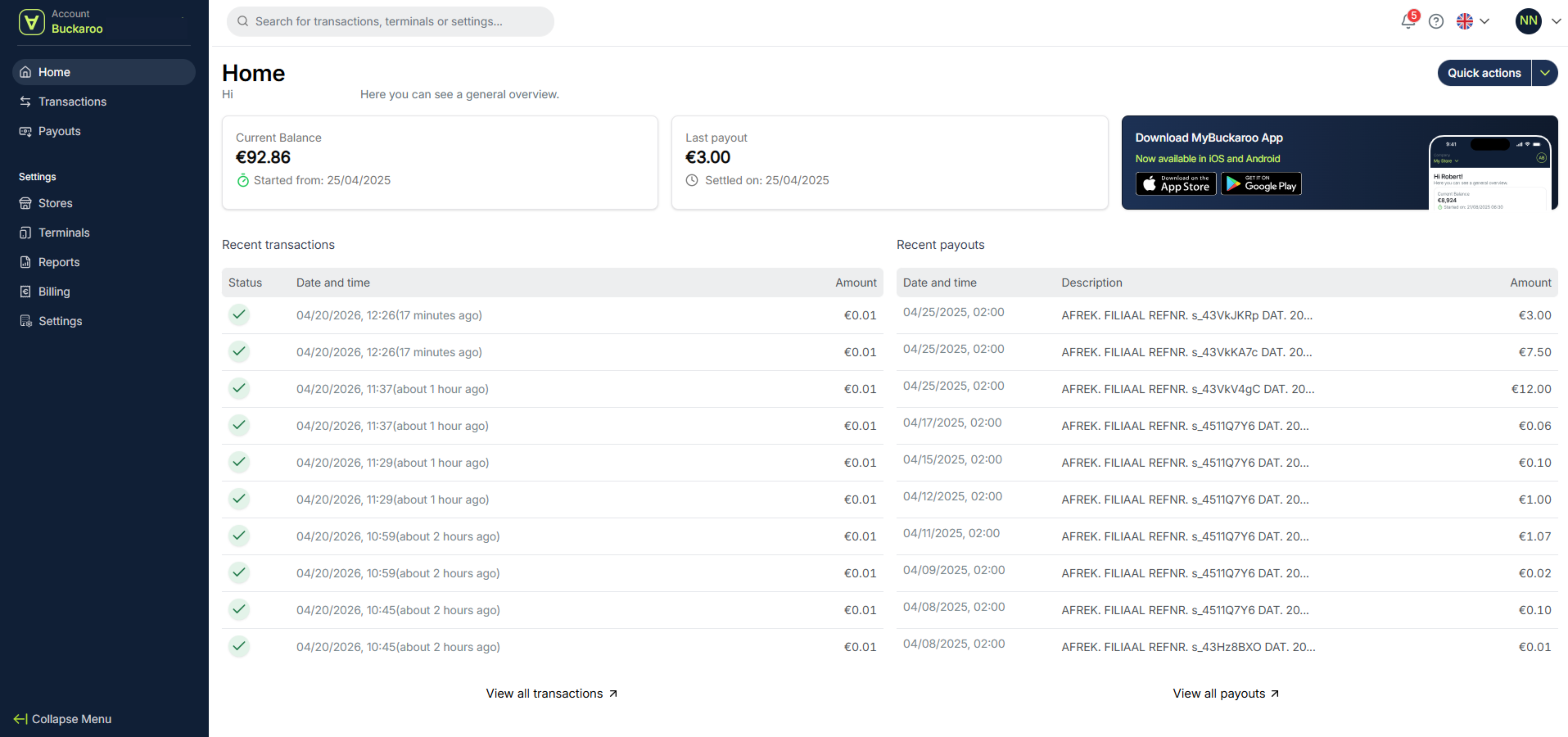
On the homepage, you’ll see a dashboard with your current balance, your latest payout, and an overview of your most recent transactions. This lets you quickly see where you stand financially and easily view your latest transactions.
Alt text

Updated 6 days ago


My Buckaroo
View transactions