

Use existing terminal(s)
If you want to accept payments on a device from another provider than Buckaroo, you can configure this here. Note: this is not possible on SumUp and Zettle devices.
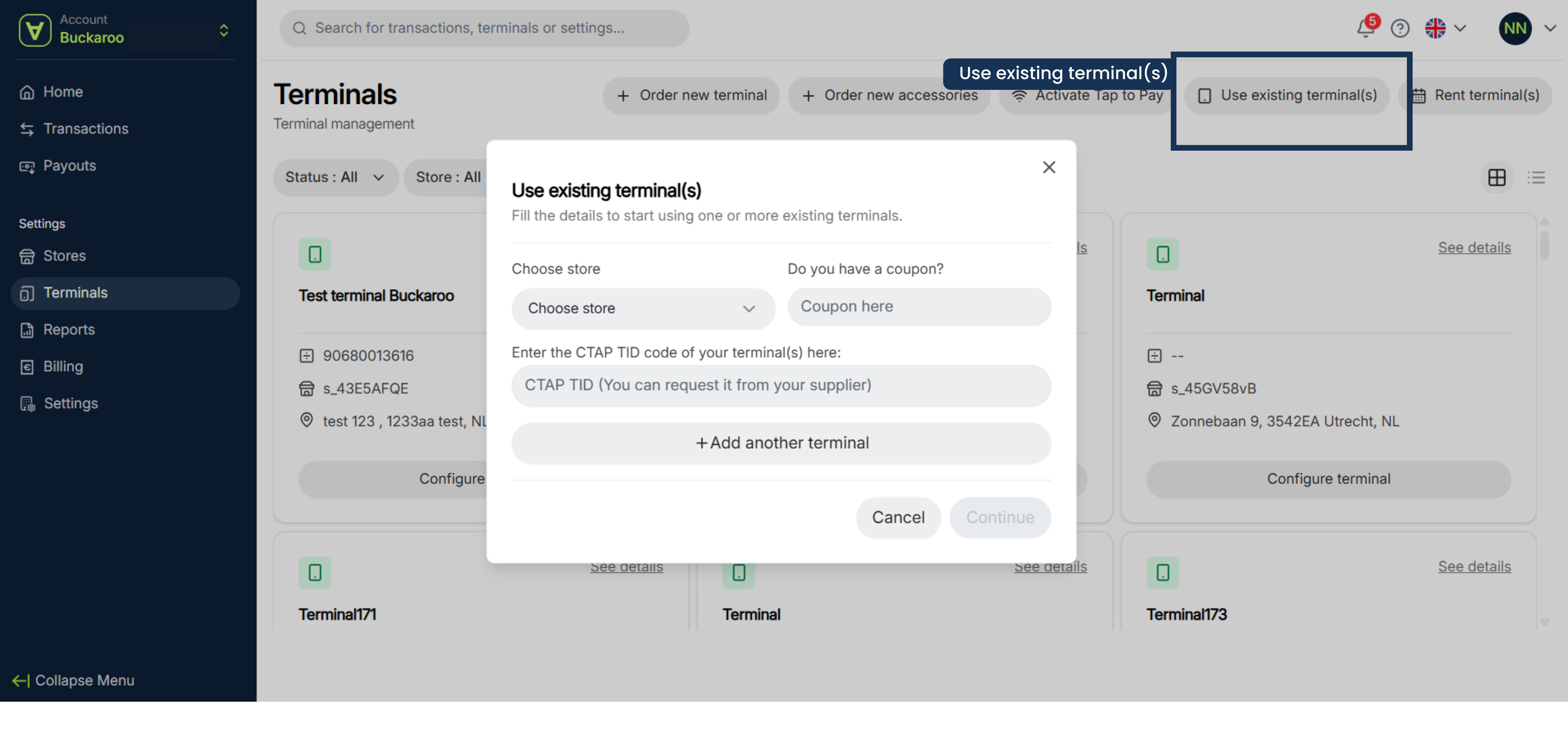
Set it up as follows:
- Click on Use existing terminal(s)
- Choose your store
- Enter your CTAP TID code TID = Terminal ID. You can request it from your supplier
- Click on continue
- Check the Terminal ID and finish your order by pressing on confirm
- You will receive a confirmation email.
- When the order is completed you will recieve an email with the contract information to be shared with your teminal provider.
Updated 6 months ago
Did this page help you?