

Activate Tap to Pay
With Tap to Pay, you can accept card payments on your smartphone via an app.
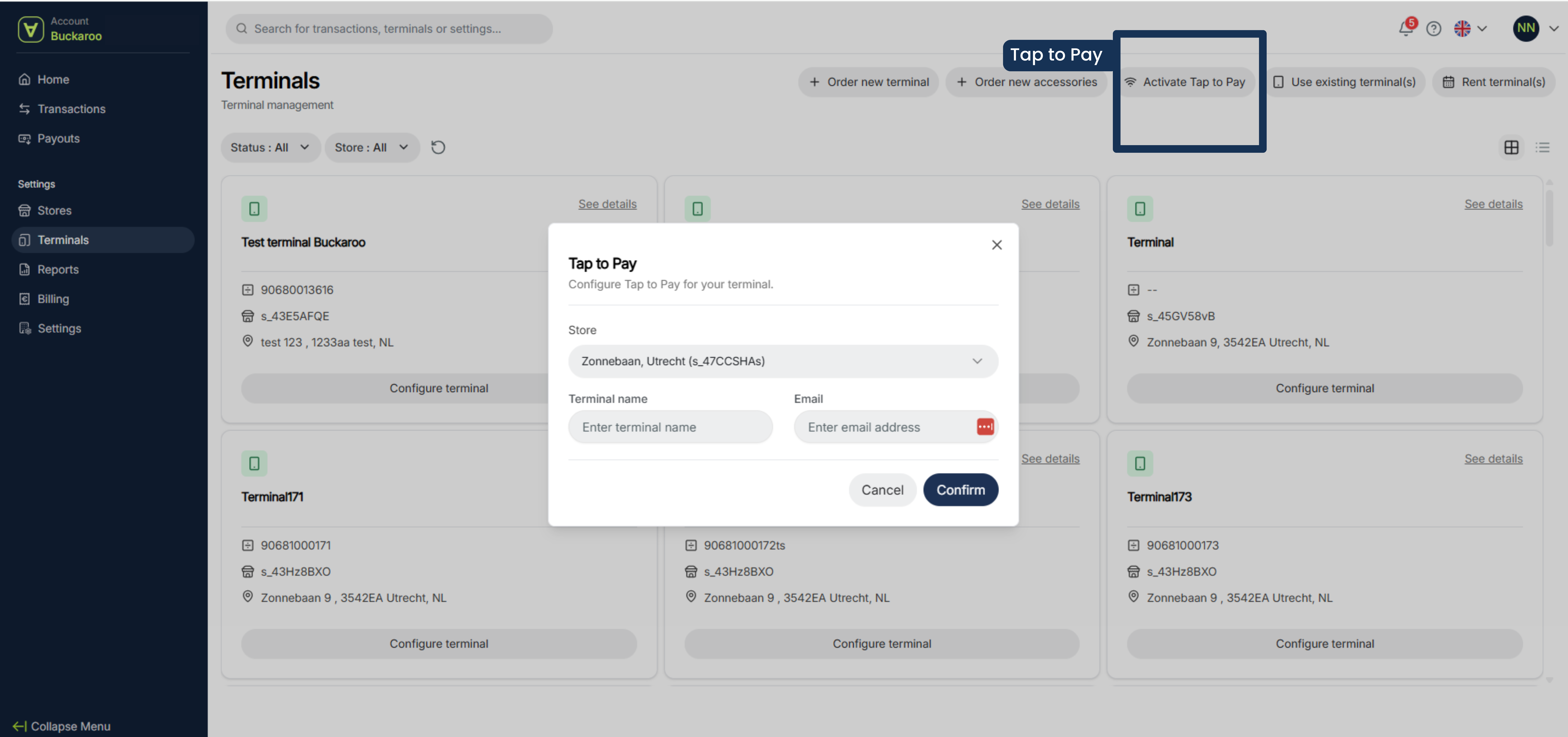
To request this, follow the steps below.
- Click on activate Tap to Pay
- Choose your store
- Enter a terminal name and an email address
- Click on confirm
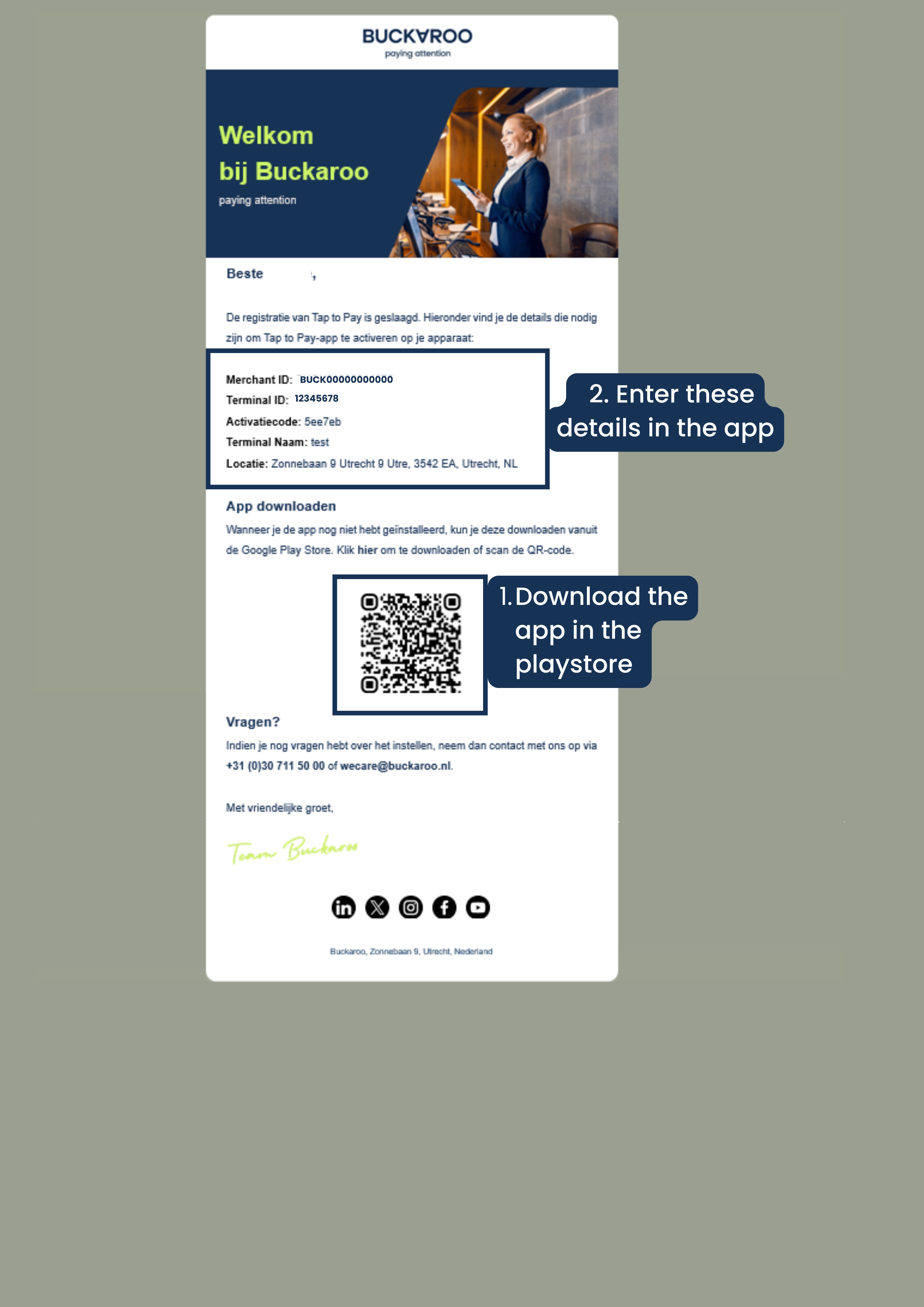
- You will receive an order confirmation. Further instructions will be sent to the email address you provided. You are asked to install the Buckaroo Tap to Pay app and then enter the details provided in the mail. After that, you can start accepting transactions right away.
Email with instructions to install Tap to Pay on your mobile device
Updated 6 months ago
Did this page help you?