

Reports
On this page, you’ll see an overview of all the reports you’ve created. On the second tab, you’ll find the scheduled reports. Here, you can also schedule your daily reports.
To view the details of the report settings, click on the report itself.
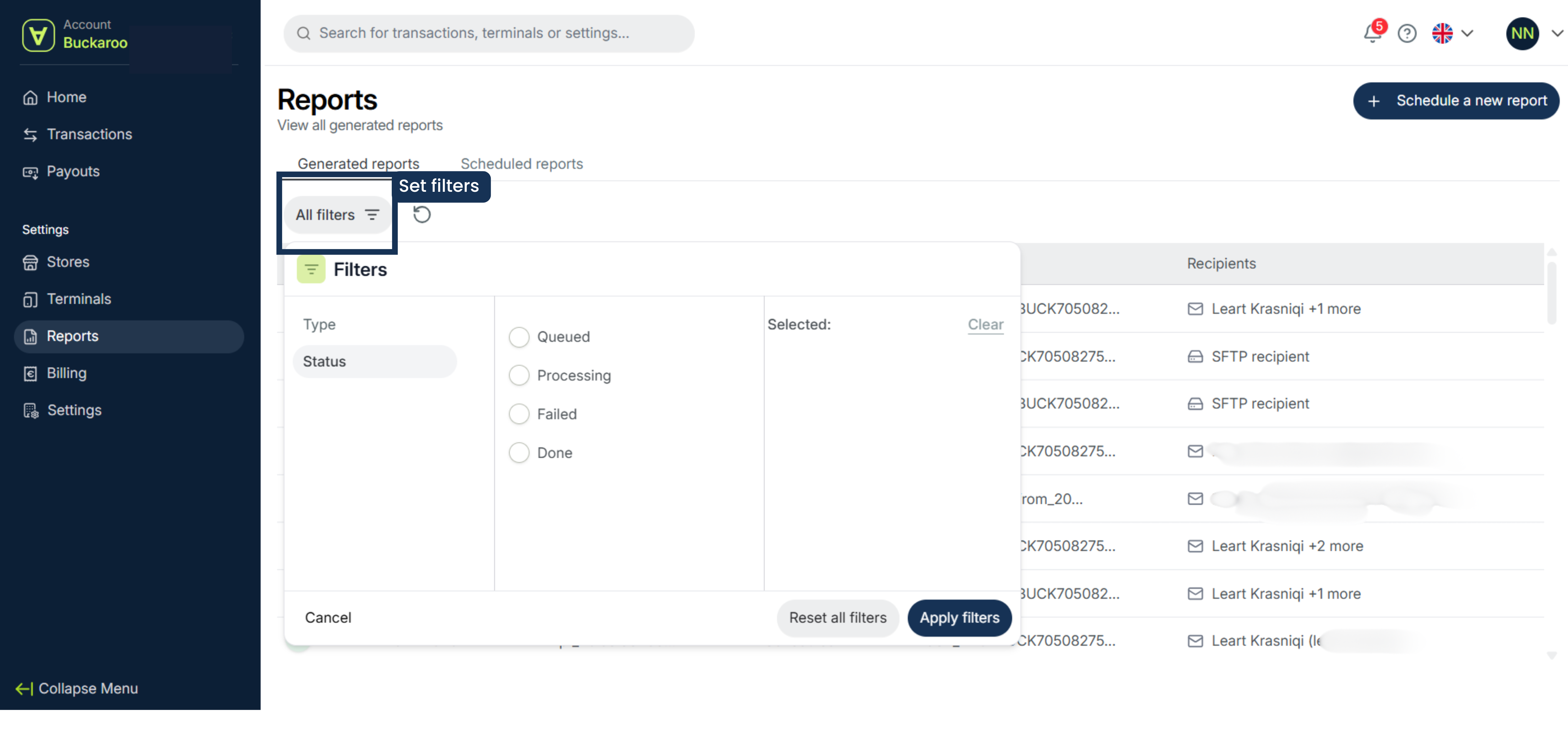
Set filters
You can set filters to view different reports.
- Click Filter
- Choose manual or automated under the report type
- Select the status
- Click Apply
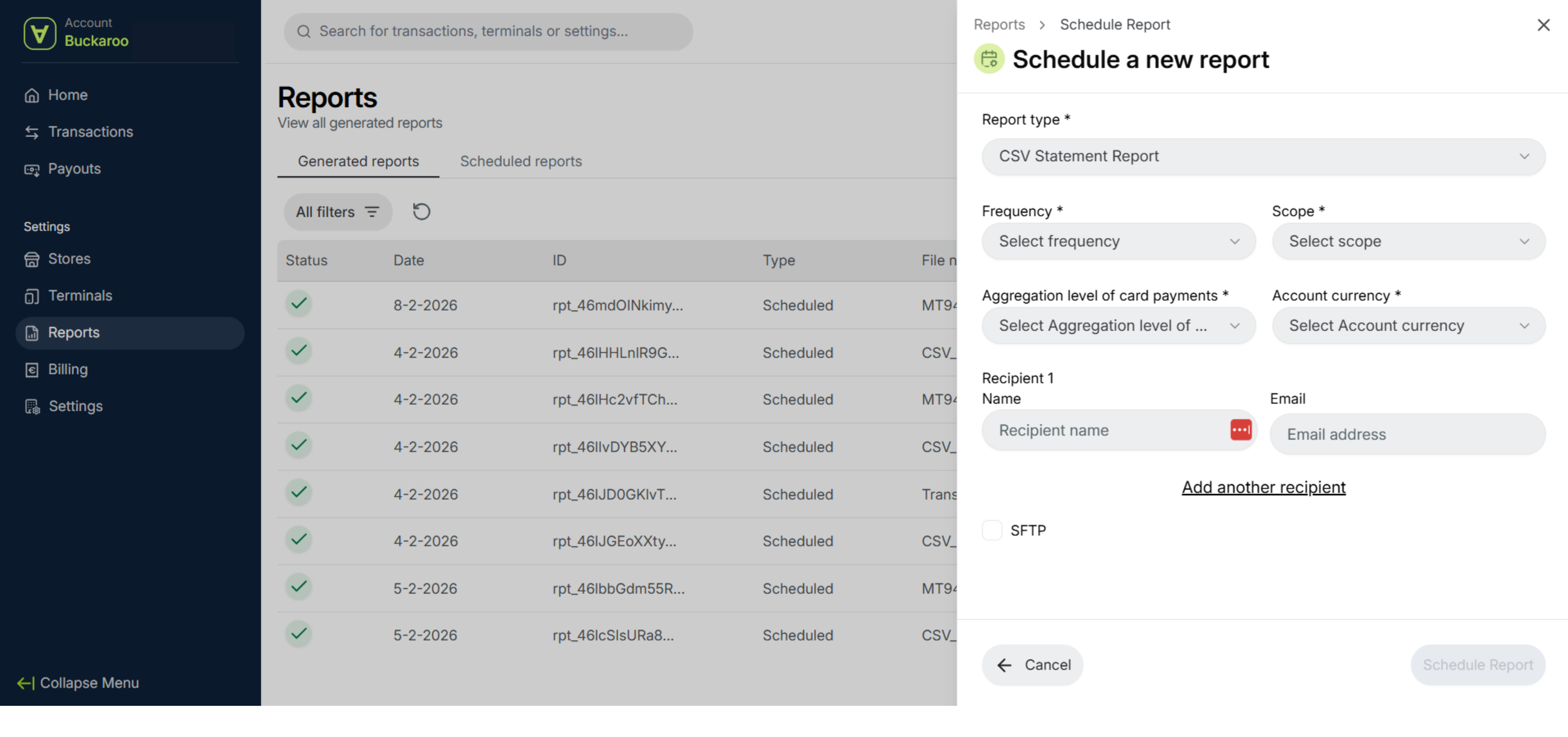
Schedule new report
- Click New Report in the top right.
- Select the type, the frequency at which you want to receive the daily report overviews, the level (e.g. per payment terminal or per card brand), and the currency.
- Enter the email address where you want to receive the reports. You can also add additional recipients.
- Click on Schedule Report to confirm.
Updated 6 months ago
Did this page help you?