

Configuration
The extension's settings live behind Configure under Extensions → My extensions. The first card holds the settings that apply to every payment method. Each method then has a card of its own, covered on Payment methods.
Everything on this page is set per sales channel. Check the channel selector at the top of the screen before you change anything.
Transaction and refund descriptions
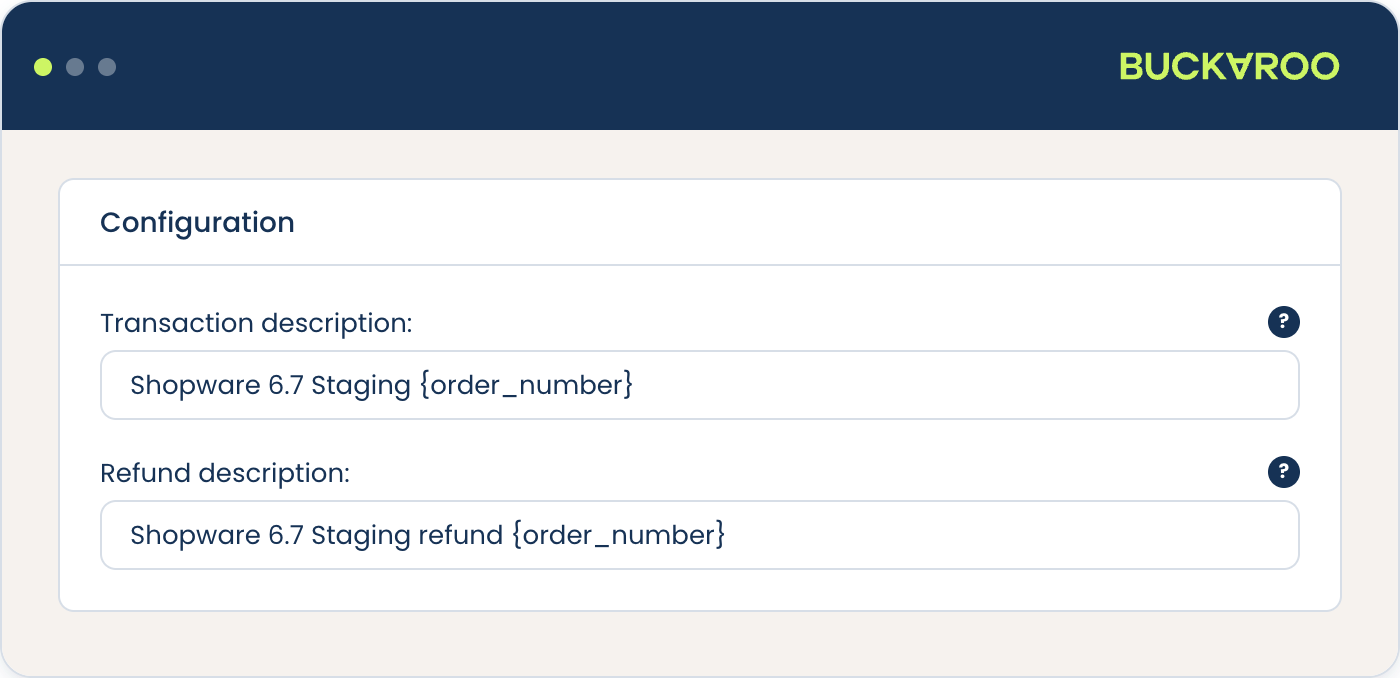
The transaction description travels with the payment to Buckaroo and appears on your customer's bank statement, so use something they will recognise. The refund description does the same for refunds.
You can use tags like {order_number} to display the actual order numbers for these descriptions.
Advanced configuration
The settings below sit behind the Advanced Configuration toggle, which is off by default. The defaults are sensible, so leave this alone unless you have a reason to change something.
Order state settings
| Setting | Default | What it does |
|---|---|---|
| Payment success status | Paid | The payment state an order moves to once Buckaroo reports success. |
| Order status | Open | The order state new Buckaroo orders start in. |
| Automatically close open orders | Disabled | Closes orders that were never paid. |
Changing these changes how Buckaroo orders flow through your own processes, including anything you have built on Shopware's order state transitions. Test the change on a staging environment rather than a live one.
Transactional invoice email
Send transactional invoice email decides whether Shopware sends its invoice email for Buckaroo orders. Leave it off if you send invoices from elsewhere, or you will send two.
Language
Language decides which language the customer sees at Buckaroo, for the methods that redirect away from your checkout. Five options:
- Dynamic based on the customer's browser language, the default
- Dynamic based on the customer's billing country
- Default Shopware sales channel language
- A fixed language: English, Dutch, German, French or Spanish
Dynamic by browser language suits most stores. Choose billing country if your customers frequently browse in a language they do not want to pay in, which is common for stores selling across borders.
Payment fees
Fees are set per method rather than here, as either a fixed amount or a percentage. See Payment methods.
Updated 5 days ago