

Payment methods
The app supports a wide range of Buckaroo payment methods. You switch each one on or off separately, and you can run any of them in test mode while the rest stay live.
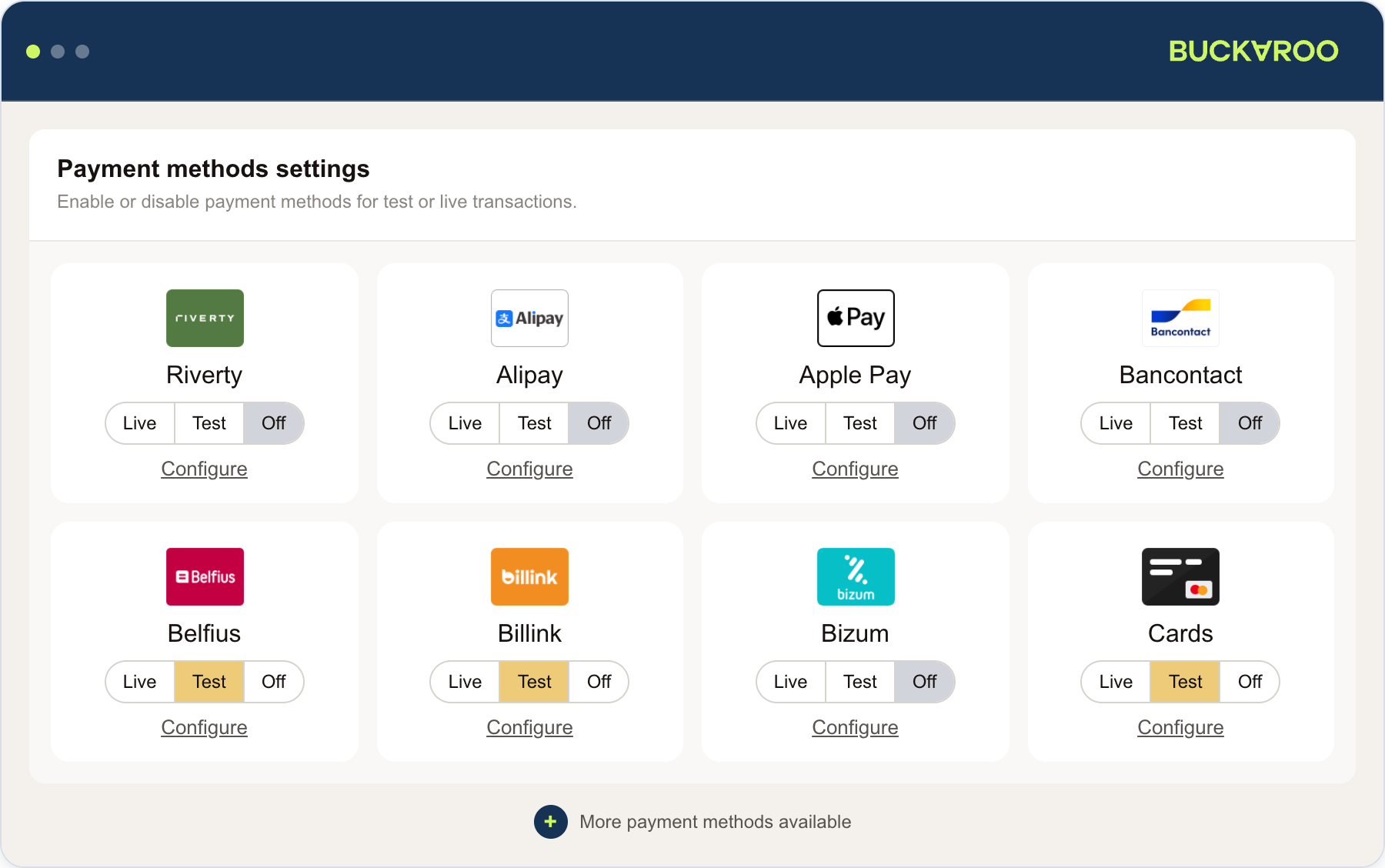
The app shows every method it supports, including ones your account cannot use yet. A method only appears in your checkout once it is active on your Buckaroo account.
Activate the methods you want in Buckaroo Plaza first.
Available payment methods
- Alipay
- Apple Pay
- Bancontact
- Bank transfer
- Belfius
- Billink
- Bizum
- Credit and debit cards
- EPS
- Giftcards
- Google Pay™
- iDEAL | Wero
- In3
- KBC
- Klarna
- MB Way
- Multibanco
- Pay by Bank
- PayPal
- Przelewy24
- Riverty
- Swish
- Trustly
- Twint
- WeChat Pay
- Wero
Switch a method on
- Open the app from your CCV Shop dashboard. See Installation.
- Go to Payment methods settings.
- Set the mode on the method you want to change.
Each method has three modes:
| Mode | Effect |
|---|---|
| Live | The method appears in your checkout and processes real payments |
| Test | The method processes test payments only, so no money moves |
| Off | The method does not appear in your checkout |
A banner appears at the top of the page whenever any method is left in Test.
Setting a method to Live is not enough on its own. The app-wide Mode in General settings must also be set to Yes, I'm ready to receive payments, or nothing is charged whatever the methods say. See Configuration.
Configure a method
Each tile has its own Configure link, which opens that method's own settings page.
| Setting | What it does |
|---|---|
| Front Label | The name your customers see in the checkout. Leave it empty to use the method's standard name |
| Payment Fee | Adds a fee to the order total when the customer picks this method |
| Countries | Limits the method to the countries you pick. Leave it empty to offer it in every country |
Whether you are permitted to charge a fee on a given payment method, and in your country, is your responsibility as the merchant.
Countries hides the method rather than showing your customer a reason. A method that appears to be missing from your checkout is often this setting, so check it before assuming something is broken.
Remember to save. These settings are per method, so you set them again for each method you want them on.
Updated 5 days ago