

Additional modules
Extend the Buckaroo Magento 2 plugin with optional modules for alternative frontends and headless storefronts.
Each module is a separate Composer package that sits on top of the base plugin. Install the base plugin first; none of these work standalone.
Looking for Second Chance or Google Analytics?
Those are features of the main plugin, not separate modules. Please refer to our Built-in features.
Which additional module do I need?
| If your store... | Install |
|---|---|
| Uses the standard Luma checkout | Nothing extra |
| Uses Hyvä Checkout | Hyvä Checkout module |
| Is headless or a PWA | GraphQL module |
| Uses Hyvä React Checkout | GraphQL module and Hyvä React Checkout module |
Hyvä Checkout and Hyvä React Checkout are two different products and need different modules. Hyvä Checkout is the more widely used of the two. Check which one your store runs before installing, because the modules are not interchangeable.
Hyvä Checkout or Hyvä React Checkout?
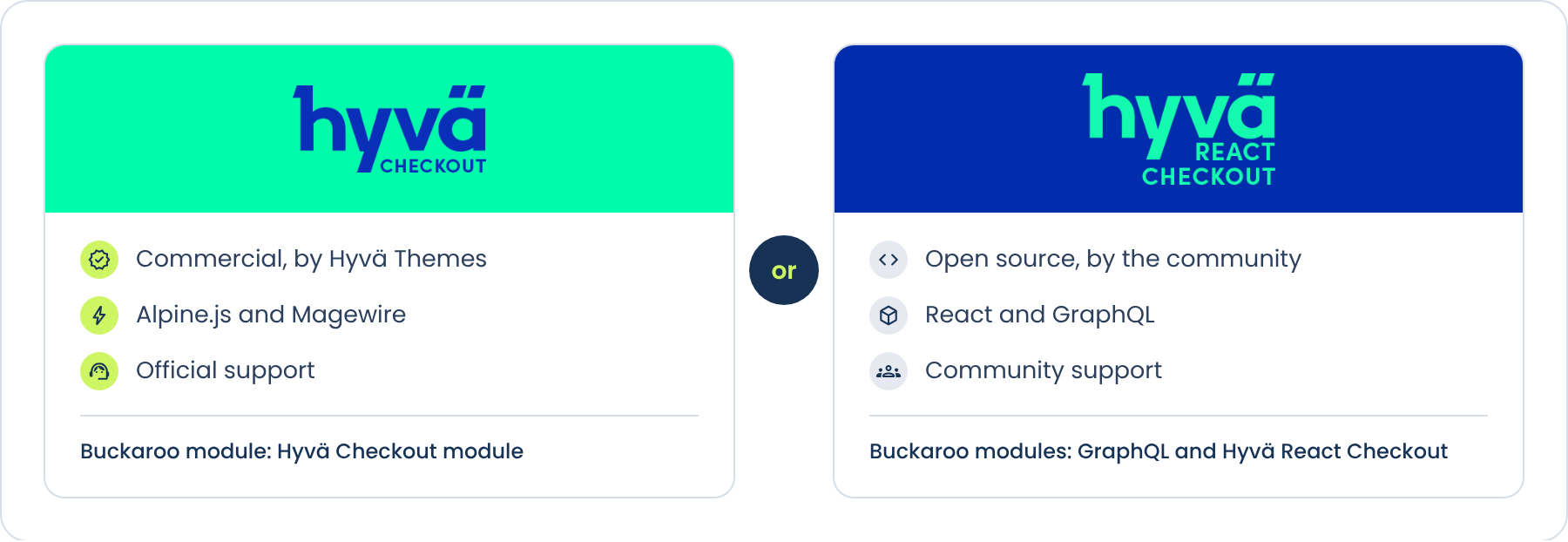
The two checkouts share no codebase, architecture or development team. The table below shows how they differ.
| Hyvä Checkout | Hyvä React Checkout | |
|---|---|---|
| Type | Commercial product | Open-source community project |
| Maintained by | Hyvä Themes | Community contributors |
| Frontend technology | Alpine.js and Magewire | React |
| Official support | Yes, from Hyvä Themes | No |
| Active development | Yes | Community-driven |
| Buckaroo module | Hyvä Checkout module | Hyvä React Checkout module |
| Installed with | Composer | npm, plus the GraphQL module through Composer |
Hyvä React Checkout was originally called "Hyvä Checkout", and some older modules and blog posts still use that name. If a module or guide mentions "Hyvä Checkout" but refers to React components, it means Hyvä React Checkout. See Hyvä Checkout vs React Checkout on the Hyvä website.
Hyvä Checkout module
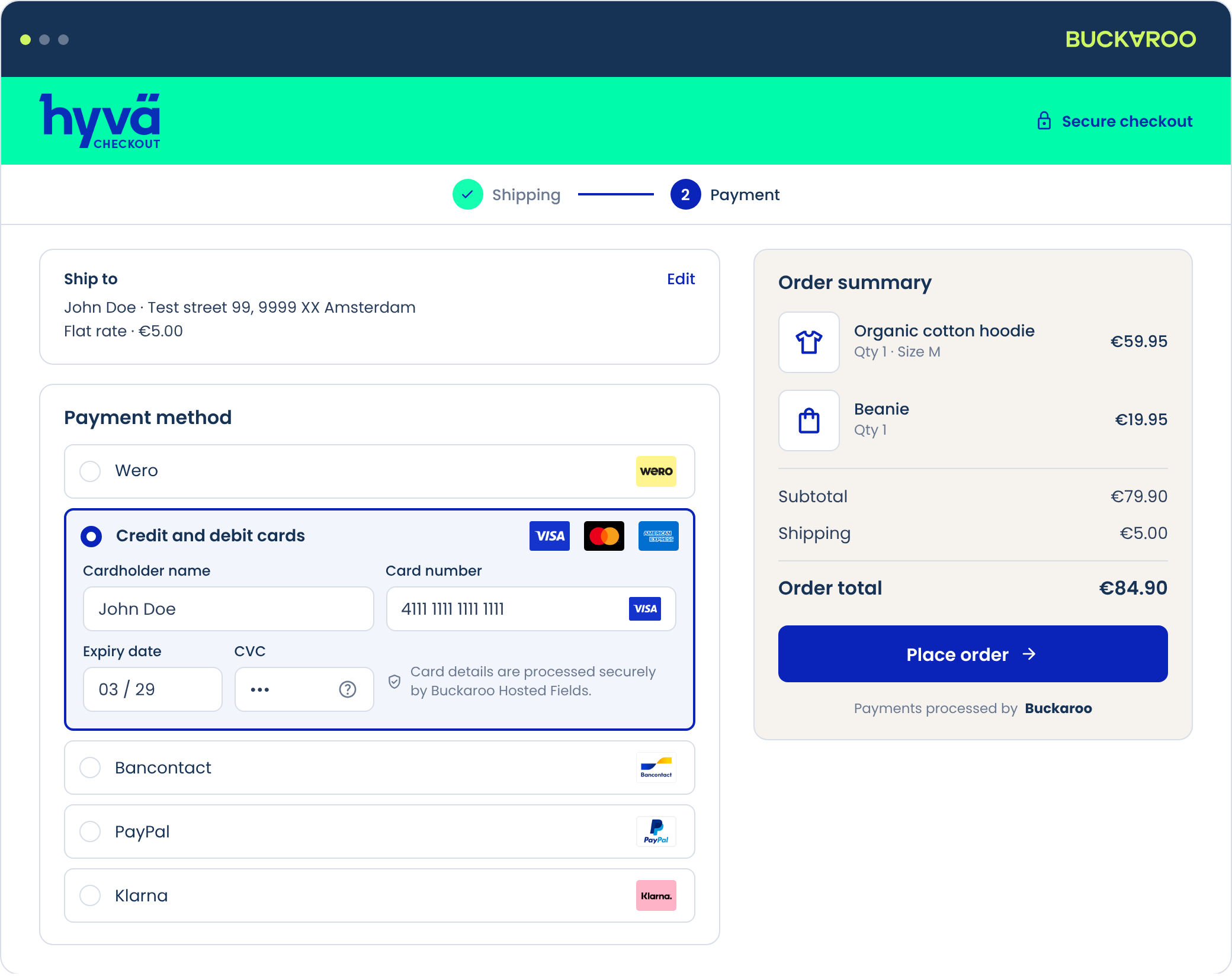
Hyvä is a lightweight Magento frontend built for speed. This module adds Buckaroo support to Hyvä Checkout, so you get Buckaroo's payment methods with Hyvä's performance. Loading is significantly faster, especially on mobile, which typically translates into better checkout conversion.
Use this if your store runs Hyvä Checkout.
About Hyvä Checkout
Hyvä Checkout is the official checkout from Hyvä Themes. It is a commercial product that Hyvä builds, maintains and supports. It runs on Magewire and Alpine.js, so the checkout is rendered by Magento itself and needs no separate frontend app.
You need a Hyvä Checkout licence from Hyvä Themes. See Hyvä Checkout on the Hyvä website and the Hyvä Checkout documentation.
Requirements
| Why | |
|---|---|
| Buckaroo Magento 2 plugin | Handles the payments |
| Hyvä Checkout, installed and active | The checkout the module adds Buckaroo to |
For the minimum plugin and Hyvä Checkout versions, see the requirements in the repository on GitHub.
Install
Run these commands from your Magento root:
composer require buckaroo/magento2-hyva-checkout
php bin/magento module:enable Buckaroo_HyvaCheckout
php bin/magento setup:upgrade
php bin/magento setup:static-content:deploy
php bin/magento cache:flush
Configure
The module has no settings of its own. Enable and configure your payment methods in the Buckaroo plugin under Stores → Configuration → Sales → Buckaroo. The methods you enable there appear in the payment step of Hyvä Checkout.
Upgrade
composer update buckaroo/magento2-hyva-checkout
php bin/magento setup:upgrade
php bin/magento setup:static-content:deploy
php bin/magento cache:flush
Test the upgrade on a staging environment first, and check the release notes on GitHub for breaking changes.
Hyvä React Checkout module
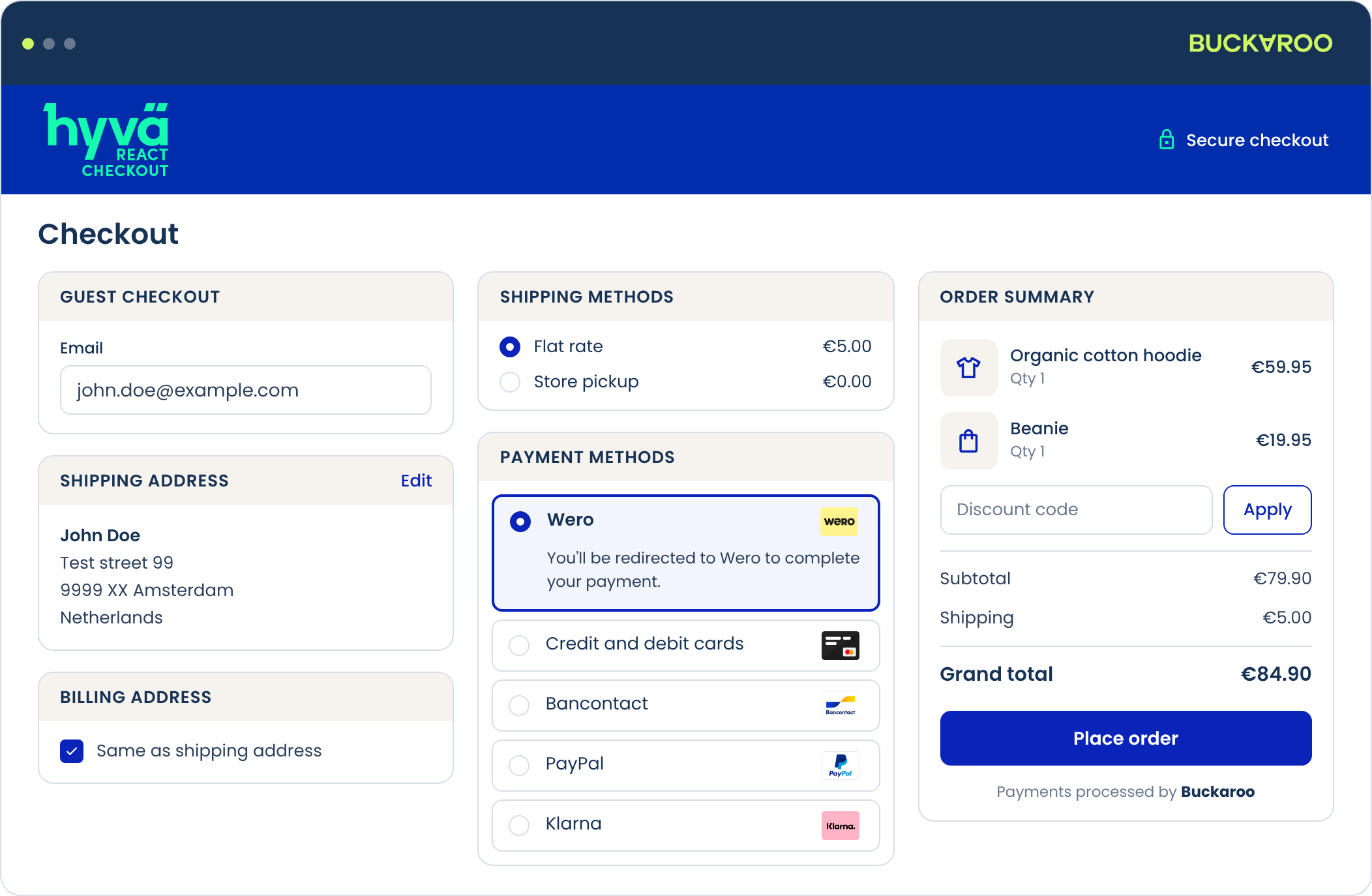
Adds Buckaroo payment support to Hyvä React Checkout, the React-based checkout for Magento SPA and PWA storefronts. It suits teams with React experience who want a headless frontend while Magento keeps handling the payment logic.
Unlike the other modules, this one is not a Composer package. It's a payment method package for the React app, added through npm.
About Hyvä React Checkout
Hyvä React Checkout is an open-source community project. It is a single-page checkout built in React that talks to Magento through GraphQL. It does not receive official support from Hyvä Themes, and maintenance and new features come from community contributors.
The source code and installation instructions are on GitHub.
Requirements
This module sits on top of two others, both of which must be installed and configured first:
| Why | |
|---|---|
| Buckaroo Magento 2 plugin | Handles the payments |
| GraphQL module | Exposes the payment methods to the headless frontend |
You also need the Hyvä React Checkout codebase itself.
Install
Add the repository to the paymentMethodsRepo entry in your Hyvä module's reactapp/package.json:
"config": {
  "paymentMethodsRepo": {
    "buckaroo": "[email protected]:buckaroo-it/Magento2_Hyva.git"
  }
},
Then rebuild the React app:
npm i
npm run build
Accepting gift cards?
To show the payment summary for partial payments with gift cards, copy all files and folders fromHyva/CheckoutExample/reactapp/src/paymentMethods/buckaroo/src/lib/overridestoHyva/CheckoutExample/reactapp/src, then rebuild.
Not every Buckaroo payment method is available in Hyvä React Checkout. See the repository on GitHub for the supported methods.
Upgrade
Pull the latest changes and rebuild:
cd Hyva/CheckoutExample/reactapp/src/paymentMethods/buckaroo
git pull
cd Hyva/CheckoutExample/reactapp
npm run buildGraphQL module
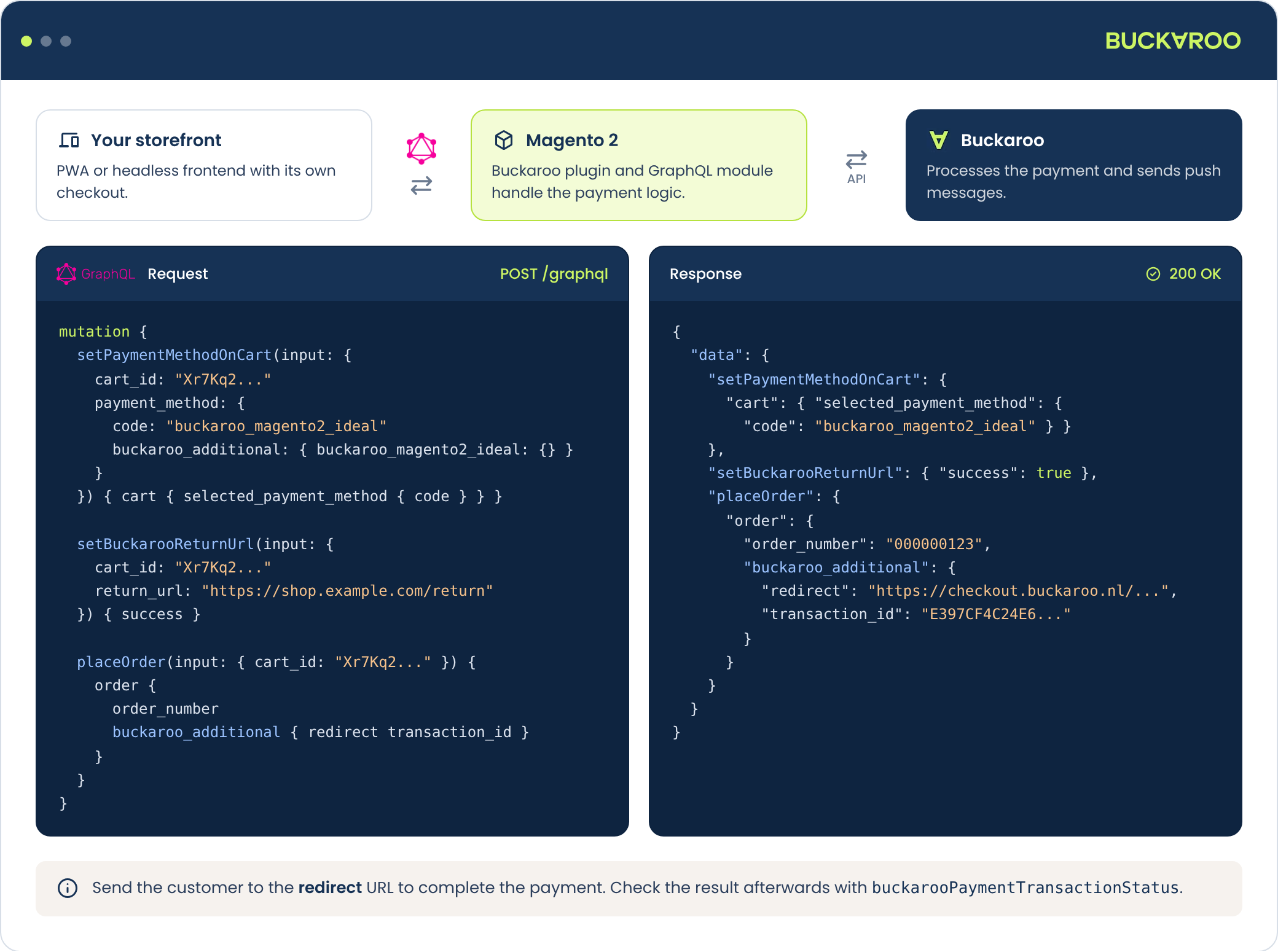
Exposes Buckaroo's payment functionality through Magento's GraphQL API, so you can build your own checkout on a headless or PWA storefront while Magento and Buckaroo handle the payment logic.
Requirements
| Why | |
|---|---|
| Buckaroo Magento 2 plugin | Handles the payments |
For the minimum plugin version, see the requirements in the repository on GitHub.
Install
composer require buckaroo/magento2graphql
php bin/magento module:enable Buckaroo_Magento2Graphql
php bin/magento setup:upgrade
php bin/magento cache:flush
How it works
- Query
available_payment_methodson the cart to show the Buckaroo payment methods in your checkout. - Set the chosen method with
setPaymentMethodOnCart, using its Buckaroo code (for examplebuckaroo_magento2_ideal). - Set the page the customer returns to after paying with
setBuckarooReturnUrl. - Place the order with
placeOrder. The response containsbuckaroo_additional.redirect, the URL where the customer completes the payment. - After the customer returns, check the result with
buckarooPaymentTransactionStatus.
The repository has full examples of these queries and mutations, including a SEPA Direct Debit payment.
Repository · Documentation · Headless and GraphQL guide
Updated 14 days ago