

Connect your account
The extension needs two credentials from Buckaroo Plaza: a store key and a secret key. Until both are in place, no payment method will work.
Where to find your credentials
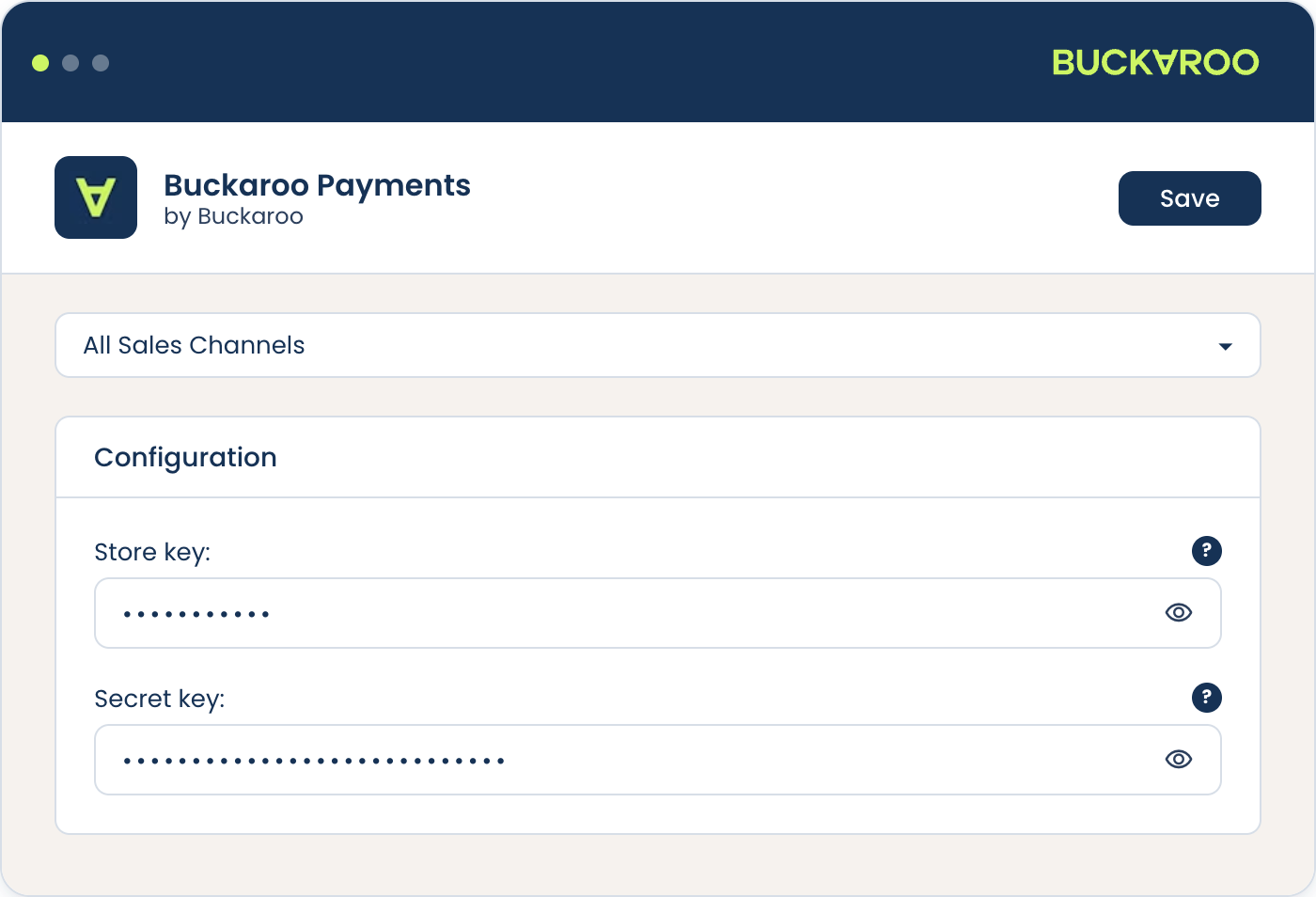
The configuration screen labels the first field Website key. That is the same value as the store key in Plaza, which is what it was called previously.
Your secret key is shown once when you generate it. If you no longer have it, generate a new one in Plaza. Doing so invalidates the old key, which will break any other integration still using it.
Add them to the extension
- In the administration, go to
Extensions→My extensions. - Find the Buckaroo extension, confirm it is active, and press Configure.
- Choose the sales channel you are configuring at the top of the screen.
- Fill in the store key and secret key.
- Use the credentials test to confirm the pair is accepted.
- Save.
Configuration is per sales channel. Credentials saved against one channel do not apply to another, and the channel selector at the top of the screen is easy to overlook. If payments work on one channel and not another, check this first.
If the test fails, look for whitespace copied along with either key before anything else. Then confirm the store key belongs to the store you intend to charge against.
Apple Pay needs one more value
To offer Apple Pay you also need your Buckaroo Guid, which is in Plaza under My Buckaroo → General. Without it Apple Pay will not work, even with the method enabled. See Express checkout.
Hosted Fields needs its own credentials
If you want cards entered inside your own checkout, you need the grouped cards method, which uses Hosted Fields. That has a client ID and client secret of its own, filled in on its configuration card rather than here. Without them the method will not work.
See Payment methods and Hosted Fields.
Push messages
Buckaroo reports the result of every payment to your store with a push message, and that message is what moves the order to its next state. Nothing needs configuring in the extension, but your store has to be reachable from the internet.
Buckaroo sends push messages from fixed addresses and ports, so if your store sits behind a firewall these need to be allowed. The current list is on the push messages page.
Updated 7 days ago