

Payment methods
The Payment Methods field on the Create Payment Link With Buckaroo action decides what the customer can choose from. Buckaroo does not pick a method for them. The PayLink opens a checkout page listing the methods you allowed, and the customer selects one there.
This is different from a webshop plugin, where methods are switched on per store and appear in the shop's own checkout. Here the selection is made per Zap, so two Zaps against the same store can offer different methods on their PayLinks. Changing the methods on one Zap has no effect on any other.
How a method becomes available
A method appears on the checkout page only when both of these are true:
- It is active on your Buckaroo store. Methods are requested and activated in Plaza, and some require a contract with the method's provider before they can be used.
- It is selected in the Payment Methods field of the action.
If a method is missing from the checkout page, check the first condition before the second. An inactive method will not appear no matter what the Zap sends.
For what each method does, which countries it covers and what activating it involves, see the Payment methods overview.
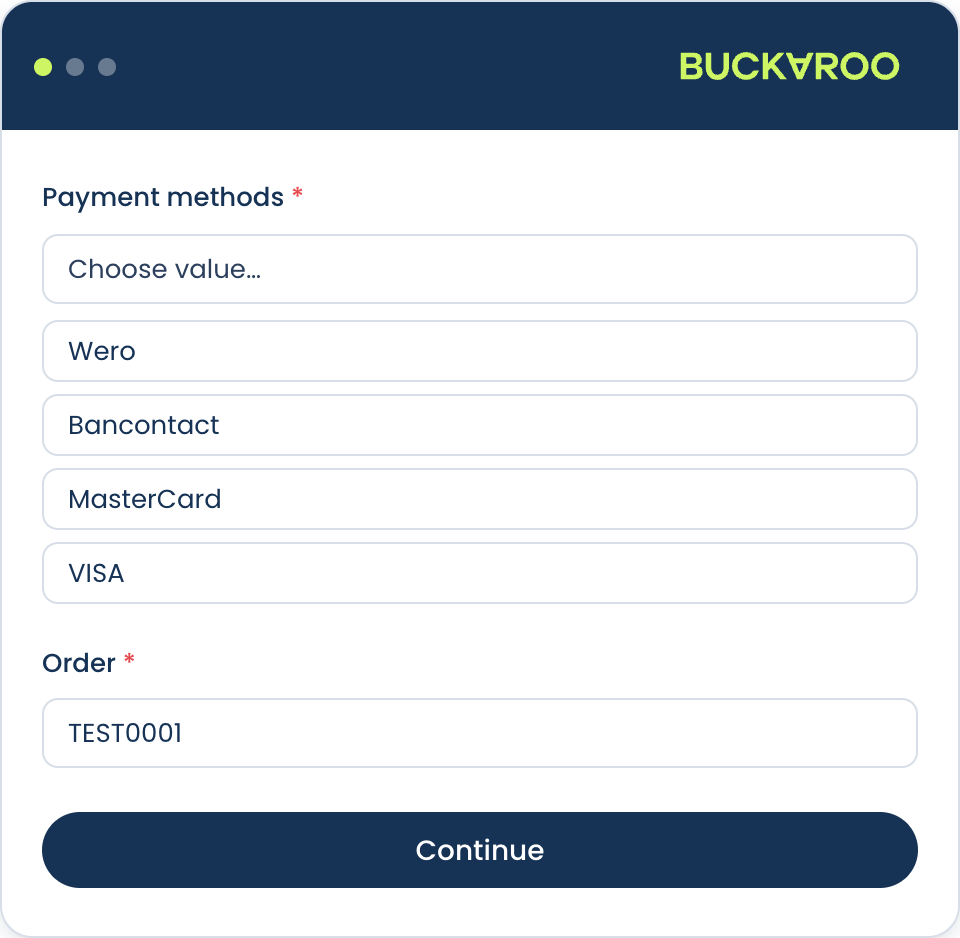
What the picker offers
The list is fixed for the app rather than generated from your store, so it is not a list of what you can currently accept. A method can be in the picker and still not appear at checkout, because it also has to be active on your store.
Cards. A grouped Cards entry, plus the individual schemes: American Express, Carte Bancaire, Carte Bleue, Dankort, Maestro, Mastercard, Nexi, Postepay, Visa, Visa Electron and VPay.
Gift cards. Boekenbon, Fashion Giftcard, Fashion Cheque, VVV Giftcard, Webshop Giftcard, Nationale Bioscoopbon and Yourgift Card.
Bank-based and local methods. iDEAL | Wero, Wero, Pay by Bank, Bancontact, Trustly, Belfius, Bank Transfer, EPS, Przelewy24, MB Way, Multibanco, Blik, Swish and Bizum.
Wallets. Apple Pay, PayPal, Alipay, WeChat Pay and Twint.
Pay later. Klarna.
If a method you use with Buckaroo is not in the picker, it is not available through this app. A PayLink can only offer what the list contains.
Cards: use the grouped entry
Adding the grouped Cards entry covers the schemes your store accepts, and it keeps working when you add a new scheme later.
Add individual schemes only when you deliberately want to narrow the choice, for example offering a single scheme for a particular customer group. Adding schemes one by one otherwise leaves gaps: a scheme you forgot is simply absent at checkout, with no error to tell you, and the customer reads it as their card being refused.
Currency
A method only appears when it supports the currency you sent in Amount currency. Some methods are limited to a single currency, and others cover a range. Sending a currency a method does not support silently removes it from the checkout page, which usually looks like the method being broken rather than the currency being wrong.
If you sell in more than one currency, either allow a set of methods that covers all of them, or use a separate Zap path per currency.
Choosing more than one method
You can allow several methods on one link, adding them one at a time from the list. This is usually the right choice, because a customer who cannot use the method you picked will abandon the payment rather than ask you for another link.
Allowing everything is not automatically better. A checkout page listing methods your customers never use is harder to scan. Allow the methods your customers actually reach for, plus a card option as a fallback.
Buckaroo checkout page
The page the link opens is hosted by Buckaroo. You can change how it looks so it matches your own branding, which matters here because the customer arrives from an email rather than from your site and has less context about who is asking for money. See Smart Checkout styling.
Updated about 1 month ago