

Built-in features
Second Chance and Google Analytics tracking are part of the Buckaroo plugin. There's nothing extra to install. Both are configured in the Magento admin alongside your other Buckaroo settings.
Second Chance
Second Chance emails customers who started a payment but didn't complete it, with a link to finish the order.
It's one of the more effective conversion features in the plugin. An abandoned payment is a much warmer lead than an abandoned cart. The customer already chose what to buy and made it to the payment step. Something went wrong at the last moment: the bank app failed, they didn't have their card to hand, the connection dropped. A reminder with a working payment link recovers a meaningful share of those.
Configure it
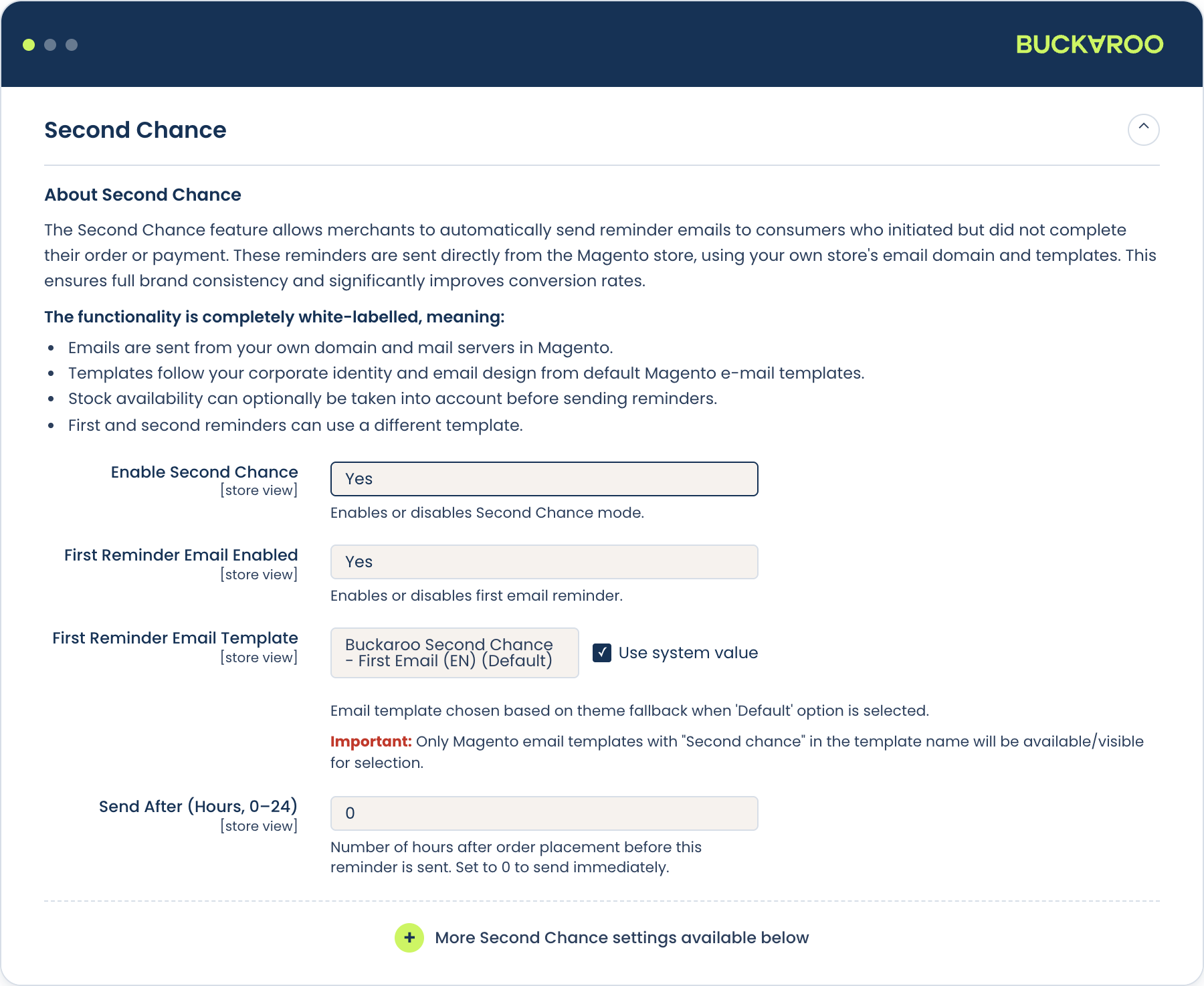
Go to Stores → Configuration → Sales → Buckaroo → Second Chance.
| Setting | What it does | Default |
|---|---|---|
| Enable Second Chance | Turns the feature on for this store view. | Off |
| First Reminder Email Enabled | Whether to send the first reminder. | Yes |
| First Reminder Email Template | Template used for the first reminder. | buckaroo_second_chance_first |
| Send After (Hours, 0–24) | Hours after order placement before the first reminder goes out. 0 sends immediately. | |
| Second Reminder Email Enabled | Whether to send a follow-up. | Yes |
| Second Reminder Email Template | Template used for the second reminder. | buckaroo_second_chance_second |
| Send After (Hours, 0–72) | Hours after the first reminder before the second one goes out. | |
| Don't send payment reminder when product is out of stock | Suppresses the email if the customer can no longer buy the item. | |
| Prune Older Second Chance Entries (Days) | How long entries are kept before cleanup. 0 disables pruning. |
Both templates are standard Magento transactional templates, so you can override them under Marketing → Email Templates to match your branding.
Avoiding awkward emails
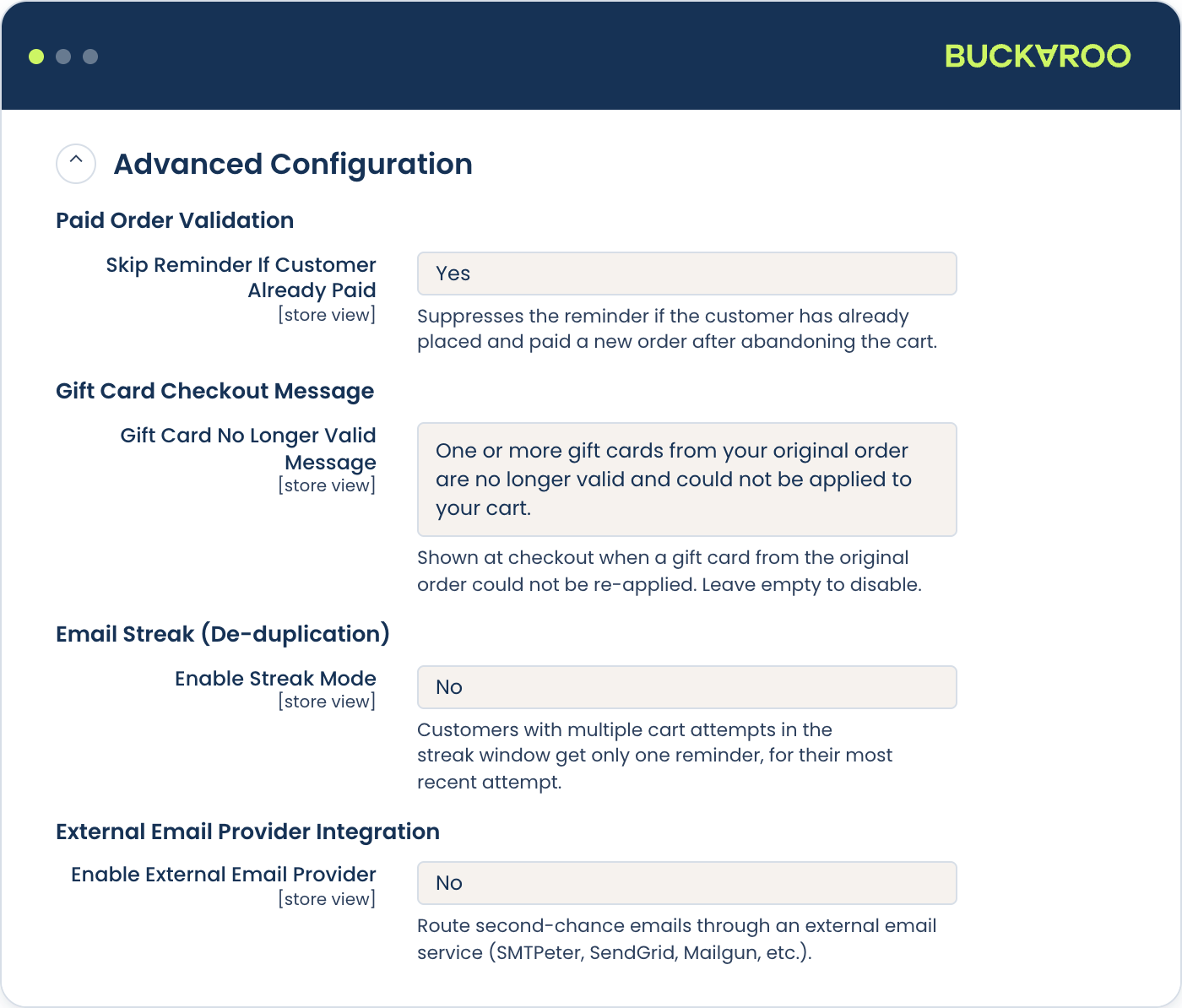
Three settings exist to stop Second Chance emailing people it shouldn't. They're worth understanding, because the default behaviour isn't always what you want.
| Setting | Why it matters |
|---|---|
| Skip Reminder If Customer Already Paid | Before sending, checks whether that customer has already paid, including on a different order. Prevents chasing someone who retried and succeeded. On by default. |
| Enable Streak Mode | If the same customer makes several cart attempts in quick succession, collapses them into one reminder instead of several. Off by default. |
| Streak Window (Minutes) | How close together attempts must be to count as one streak. Default 30. |
If customers report getting several reminders for what they experienced as a single failed purchase, turn on Streak Mode. Multiple attempts at one checkout are normal. A card declining twice before a customer switches to Wero creates three records.
Sending through an external provider
Second Chance can send its emails through an external service over SMTP or a REST API instead of Magento's mail system, with retries and a fallback. Configure it under External Email Provider Integration in the same section.
Second Chance requires Magento cron. The plugin schedules its check every two minutes, but that only runs if Magento's cron is running. Without it no emails are sent and nothing warns you; the feature simply does nothing. Verify cron before concluding Second Chance is broken.
Analytics Tracking
Buckaroo payments frequently redirect the customer away to their bank or payment app. When they come back, Google Analytics may treat them as a new visitor arriving from a referral, which breaks attribution. The sale gets credited to the payment provider rather than to whatever actually brought the customer to you.
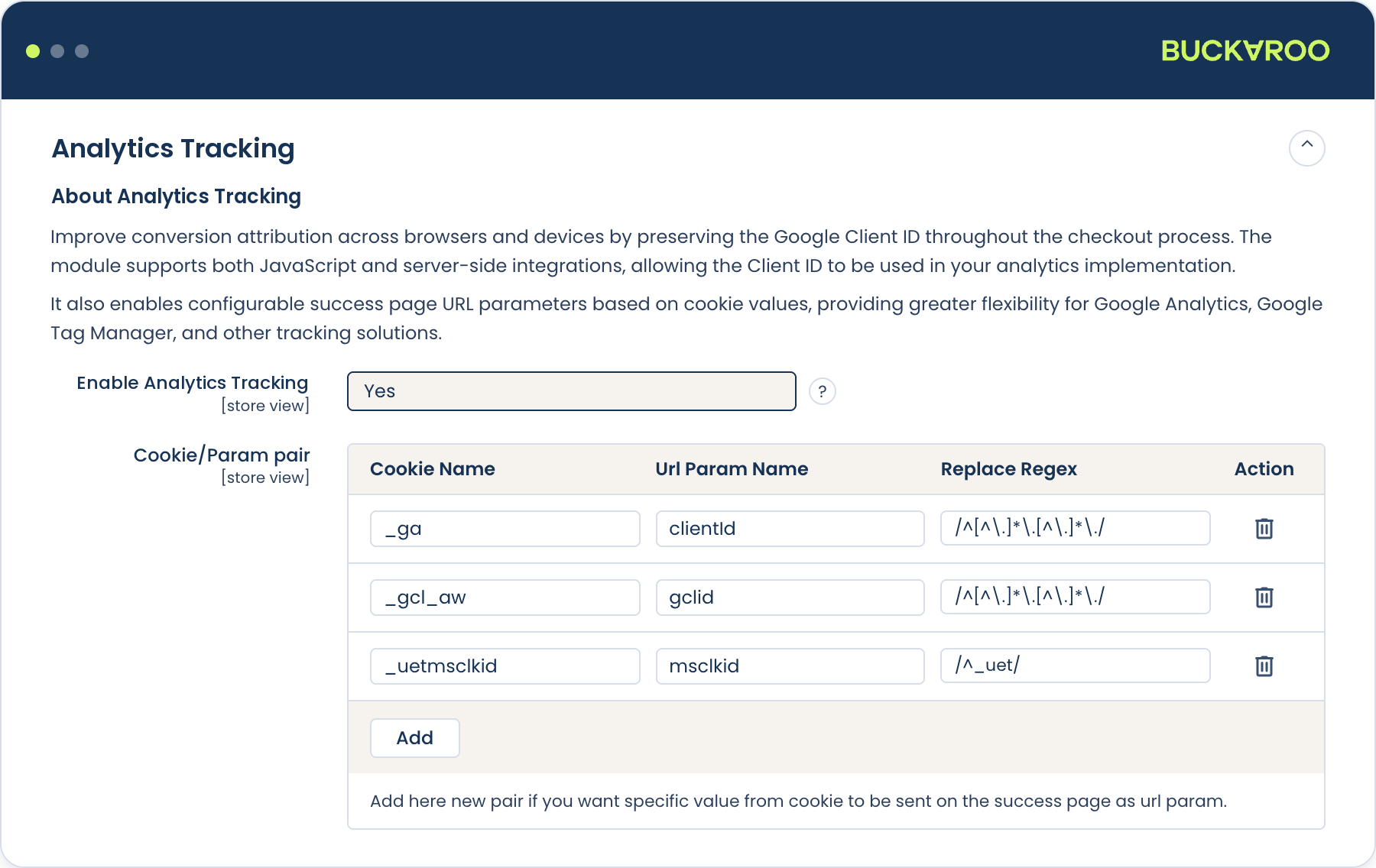
The plugin's GA Tracking Options address this by carrying the Google Analytics client ID (and any other cookie values you nominate) through the payment flow, so they're available as URL parameters on the success page. Your analytics implementation can then stitch the session back together.
This passes identifiers through the redirect. It does not send purchase events to Google Analytics on your behalf; your own GA or Google Tag Manager setup still does that. Think of it as the plumbing that stops the redirect breaking your existing tracking, not as a replacement for it.
Configure it
- Go to Stores → Configuration → Sales → Buckaroo → Analytics Tracking.
- Set Enable Analytics Tracking to
Yes. - Under Cookie/Param pair, add a row for each cookie you want passed through, mapping the cookie name to the URL parameter it should appear as on the success page.
- Save and flush the cache.
Checking it works
Place a test order using a redirect method, Wero being the obvious one, then inspect the URL of the success page. The parameters you configured should be present with the values from the customer's cookies. Testing with a non-redirect method won't tell you anything useful, because that's not the case the feature exists for.
Updated 8 days ago