

Connect your account
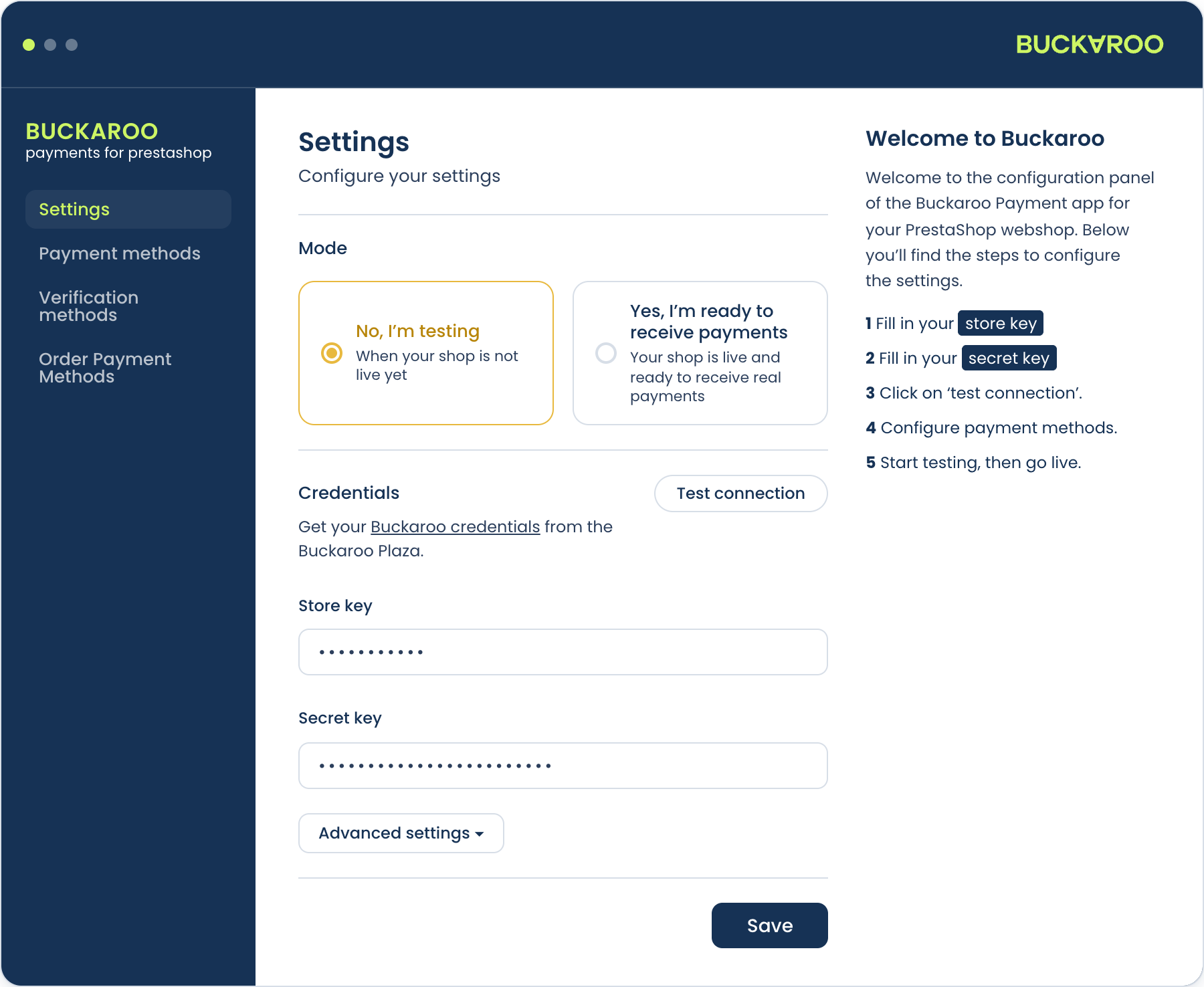
The module needs two credentials from Buckaroo Plaza: a store key and a secret key. Until both are in place and verified, no payment method will work.
Where to find your credentials
Your secret key is shown once when you generate it. If you no longer have it, generate a new one in Plaza. Doing so invalidates the old key, which will break any other integration still using it.
Add them to the module
- Go to
Modules→Module Manager, find the Buckaroo module and press Configure. - Open the Settings section.
- Fill in Store key and Secret key. Both are masked, and you can reveal each one with the eye icon beside it.
- Press Test Connection.
- Save.
The module confirms with "Successfully verified the credentials" when the pair is accepted, and reports "The credentials are not valid" when it is not. Verify before you save, because an unverified pair leaves you debugging failed payments later instead of a wrong key now.
If verification fails, check for whitespace copied along with either key first. That is the most common cause. Then confirm the store key belongs to the store you intend to charge against.
Choose test or live
Directly above the credentials you choose how the module behaves:
- No, I'm testing. Transactions go to the Buckaroo test environment. Nothing real is charged.
- Yes, I'm ready to receive payments. Transactions are real.
This is a store-wide setting. Each payment method also has its own mode, which can differ, so a live store can keep one method in test while you try it out. See Test and go live.
Push messages
Buckaroo reports the result of every payment to your store with a push message, and that message is what moves the order to its next status. Nothing needs configuring in the module for this, but the store does have to be reachable from the internet, which is worth knowing if you are working on a local or password-protected environment.
For the format of the message and the parameters it carries, see Push messages.
Updated about 1 month ago